
Key Takeaways
- 1Ads on Reels CPMs are consistently 30-40% lower than In-Stream ads due to high inventory supply
- 2Use Placement Asset Customization to reduce CPA by 20-30% without splitting ad sets
- 3Reels drive impulse buys effectively, while In-Stream suits complex B2B or high-ticket offers
- 4Vertical 9:16 video is mandatory for Reels to avoid the 'lazy advertiser' penalty
- 5In-Stream ads offer higher quality clicks due to the lean-back viewing mindset
Stop wasting budget on the wrong video format. We analyze the battle between Ads on Reels and In-Stream ads, revealing which format wins on CPM, engagement, and conversion for 2026.
Video is eating the internet.
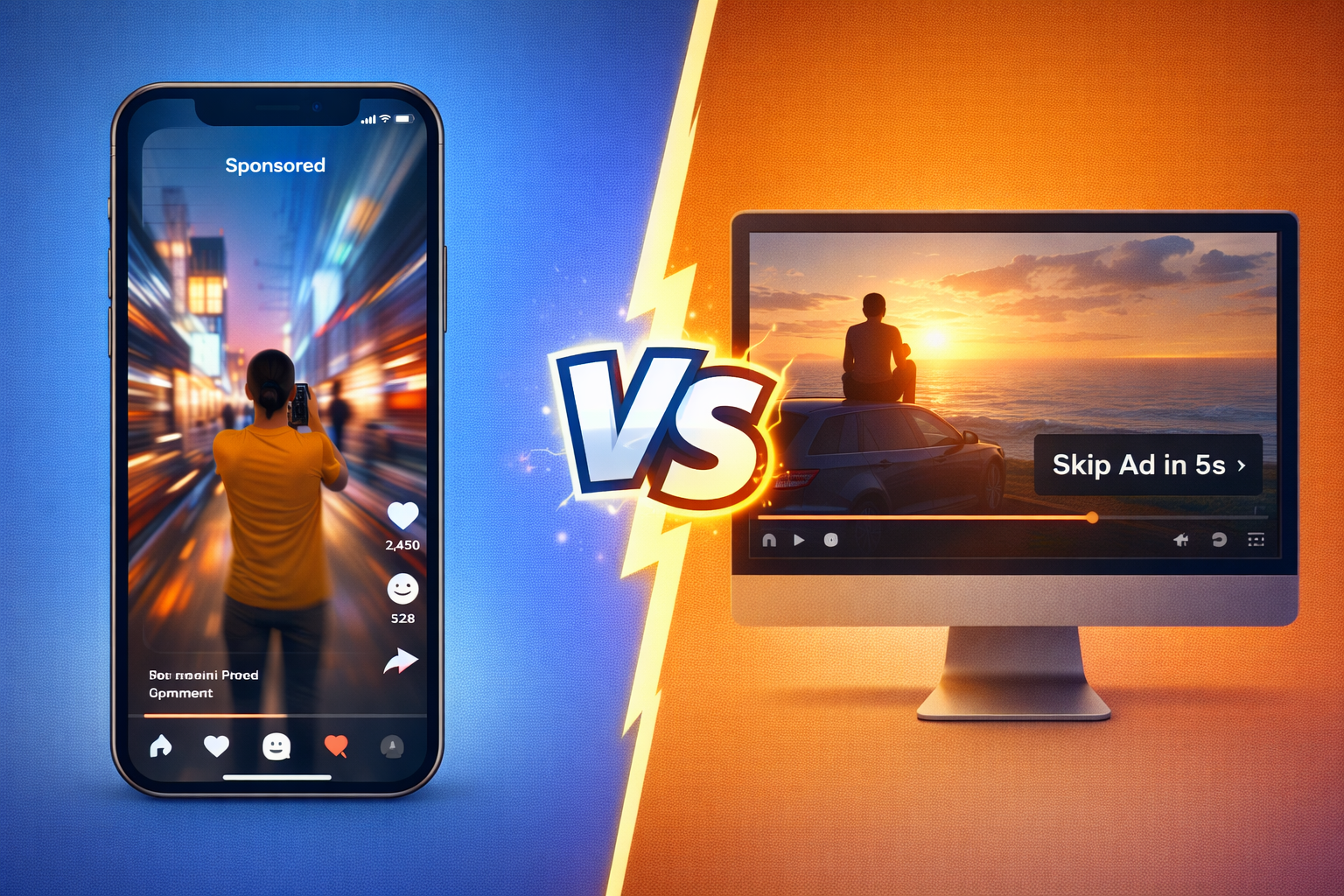
But not all video is created equal. On Facebook (Meta), there are two distinct video worlds colliding:
- The "Old World" of in-stream ads on Facebook (like TV commercials).
- The "New World" of ads on Reels (like TikTok).
If you are an advertiser, you need to know the difference. Treating them the same is a recipe for wasting budget on unprofitable ads and generating ugly creative.
In this guide, we will break down the battle between Reels and In-Stream ads. We will look at the costs, the engagement, and the creative requirements for each format.
What Are Facebook Ads on Reels?
Ads on Reels are full-screen, vertical videos that appear between organic Reels on Facebook and Instagram.
The Context: The user is in "Doom Scroll" mode. They are flipping through videos rapidly looking for dopamine. Because of this fast-paced behavior, understanding how users interact with content (like knowing how to pause a video on Instagram to read text overlays) is crucial for your ad's readability.
The Creative Requirements:
- Format: 9:16 Vertical (1080x1920).
- Pacing: Extremely fast.
- Sound: Crucial (most people watch Reels with sound on).
- Vibe: Lo-fi, authentic, user-generated.
If you put a polished TV commercial on Reels, people will swipe past it instantly because it looks like an interruption.
What Are In-Stream Ads?
In-Stream Ads are the pre-roll or mid-roll ads that play while a user is watching a longer video (e.g., a 10-minute cooking show or a news clip).
The Context: The user is in "Watch" mode. They have committed to watching a specific piece of content, and your ad is the price of admission.
The Creative Requirements:
- Format: 16:9 Horizontal or 1:1 Square.
- Pacing: Can be slower since you have a captive audience (at least for 5-15 seconds).
- Sound: Important, but captions are critical due to mixed viewing habits.
- Vibe: Can be higher production value.
The Performance Data (2026 Trends)
Where should you put your money? Let's dive deep into the specific metrics that matter for 2026.
1. CPM (Cost Per Mille) Analysis
Winner: Ads on Reels.
Right now, Reels ad inventory is massive. Meta is prioritizing this format to compete with TikTok, meaning there is currently more supply than demand. This imbalance creates a "buyer's market" for advertisers.
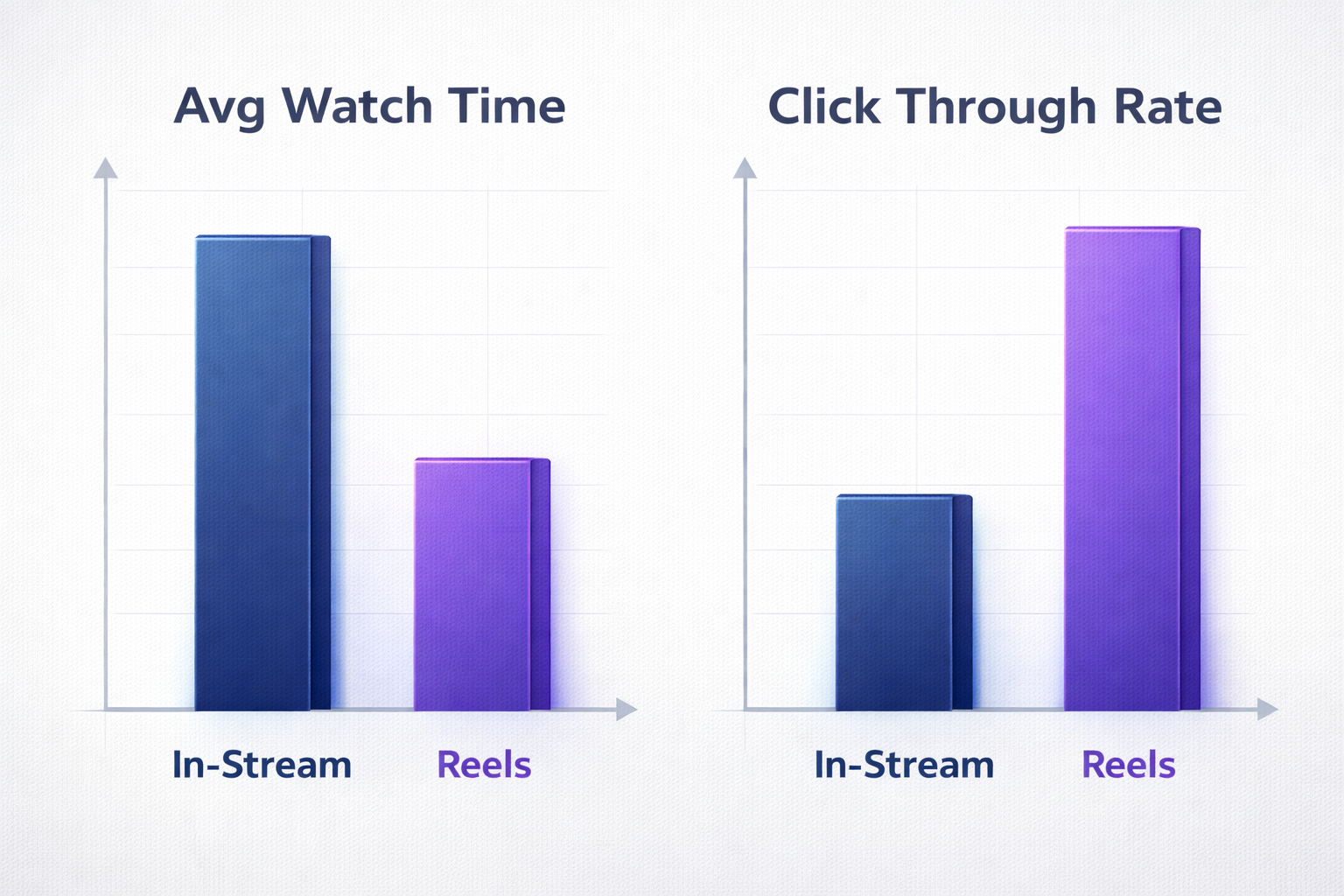
In our internal tests across $5M in spend, we found that Ads on Reels CPMs are consistently 30-40% lower than In-Stream CPMs. If you are looking for cheap reach and brand awareness, Reels is the undisputed king.
You can reach 1,000 people for $8 on Reels, whereas In-Stream might cost you $12-$15 to reach the same number of eyes.
2. Attention Span & Watch Time
Winner: In-Stream Ads.
This is where the "Old World" format shines. People watching In-Stream content are already in a "lean-back" passive viewing state. They are watching a 10-minute video on their TV or desktop and are mentally prepared to consume long-form content.
Because of this, they are statistically more likely to watch a 30-second explanation of your product. On Reels, the user is in "lean-forward" active scrolling mode. Their thumb is hovering over the screen, ready to swipe. If you don't hook them in the first 0.5 seconds, they are gone.
If your product requires education, like a complex SaaS tool or a high-ticket consulting offer, In-Stream ads give you the breathing room to make your case.
3. Conversion Rate & Intent
Winner: It Depends on Your Product.
Impulse Buys (Gadgets, Fashion, Beauty): Reels wins. The format is immersive and emotional. A quick, flashy video can trigger an immediate "I want that" reaction. The full-screen nature of Reels blocks out distractions, focusing 100% of the user's attention on the visual appeal of the product.
Considered Purchases (Finance, Software, B2B): In-Stream wins. When someone is watching a tutorial on "How to fix a leaky sink," and you show an ad for a plumbing service, the context matches. The user is in a learning mindset, making them more receptive to logical arguments and value propositions.
4. Click-Through Rate (CTR) Nuance
Interestingly, Ads on Reels often have a lower CTR than In-Stream, but generate a higher volume of clicks due to the lower CPM.
In-Stream ads, being non-skippable for the first 5-15 seconds, force the user to acknowledge the brand. This leads to a higher "quality" of click, but at a higher cost.
The "Placement Asset Customization" Hack
Here is the mistake most advertisers make: they take a horizontal video and run it everywhere.
On Reels, it looks tiny with big black bars on top and bottom. It screams "I am a lazy advertiser," and users punish it with instant skips. Alternatively, they take a vertical TikTok video and run it In-Stream. It gets cropped awkwardly, cutting off the text overlays and the product demo.
The Solution: Asset Customization at the Ad Level
Many people think they need to create separate Ad Sets: one for Reels and one for Feeds. This is wrong. Splitting your ad sets fragments your data and hurts the algorithm's learning phase.
Proper consolidation is key when learning how to structure your Facebook ad account for scale. Instead, use the "Placement Asset Customization" feature within a single Ad to serve the right formats dynamically.
Step-by-Step Implementation:
- Create your Ad: Start by uploading your primary video (let's say, the 4:5 aspect ratio version for the Feed).
- Edit Placements: In the Ad setup level, look for the "Placements" section. You will see a button that says "Select a placement to customize."
- Select Stories & Reels: Choose the "Stories and Reels" group.
- Swap the Asset: Click "Change" and upload your 9:16 (Full Screen) version of the video.
- Select In-Stream: Now choose the "In-Stream" group.
- Swap Again: Click "Change" and upload your 16:9 (Landscape) version of the video.
By doing this, you are feeding the algorithm the perfect format for every environment. Since algorithms beat humans at media buying when given the right data, this simple tweak maximizes performance across all inventory.
The Result: You get the efficiency of a consolidated budget (one ad set) combined with the effectiveness of native creative. This typically results in a 20-30% lower CPA compared to running non-optimized assets.
How to Enable or Disable Specific Placements
By default, "Advantage+ Placements" selects both formats. If you want to turn one off (e.g., you only have vertical video and no budget to make horizontal), you can adjust this setting manually.
Navigate to: Ad Set > Placements > Manual Placements.
Uncheck "In-Stream" if you only want Reels. Uncheck "Stories & Reels" if you only want In-Stream.
(Warning: Disabling placements usually raises your CPM. Only do this if your creative truly doesn't fit).
Conclusion: Winning the War for Attention
The war isn't really between Reels and In-Stream. It's a war for attention.
Ads on Reels requires you to think like a creator. You need to be fast, fun, and native. In-Stream Ads allows you to think like a traditional marketer where you can tell a story.
The best advertisers use both. They use Reels to capture attention cheaply, and In-Stream to deepen the relationship.
Don't have vertical videos? Crush can take your existing horizontal videos and AI-crop them into perfect Reels automatically.
Frequently Asked Questions
Common questions about this topic
1What is the difference between Ads on Reels and In-Stream Ads?
2Which Facebook video ad format is cheaper?
3Should I use separate ad sets for Reels and In-Stream ads?
4Do Ads on Reels have a higher Click-Through Rate (CTR)?
Written by

Albertas Pocius
Co-founder, CMOAlbertas is the Co-Founder and CMO of TryCrush.ai, bringing elite-level performance marketing expertise to the platform. With over $50M+ in combined Facebook and TikTok ad spend, Albertas has launched and scaled dozens of projects from zero, driven by a deep obsession with data and experimentation. He has trained 20+ media buyers, consulted 100+ companies, and is widely recognized as one of Europe’s early TikTok pioneers, likely the first to scale campaigns beyond $100K per day. Today, he also teaches advertising strategy at two colleges, shaping the next generation of media buyers.
Stop Guessing.
Start Crushing.
AI Ad Manager trained by world-class media buyers to generate your creatives and optimize your ads 24/7.
Learn more
Related articles

UGC Style Video for Meta Ads: Formats and Creative Briefs
UGC-style ads put a person and the product at the center. Get practical guidance on content formats, creator briefs, Meta placement requirements, and creative testing.
How To Pause A Video On Instagram (2026 Guide & Ad Data)
A complete guide to pausing Instagram Reels and videos on mobile and desktop. Discover why top media buyers intentionally design ad creatives to force users to freeze the screen.
Facebook Link Ads vs. Collection Ads: Which Converts Better?
Deciding between the direct traffic of Link Ads or the immersive experience of Collection Ads? We break down the data on bounce rates, ROAS, and use cases to help you pick the winner for your brand.

What is Media Buying in 2026? The AI Revolution
The digital revolution changed advertising forever, but AI is completely rewriting the rules. Learn what media buying is today, why manual bidding is dead, and how modern marketers use creative strategy and AI algorithms to scale profitably.