 TLCC Computer Centre
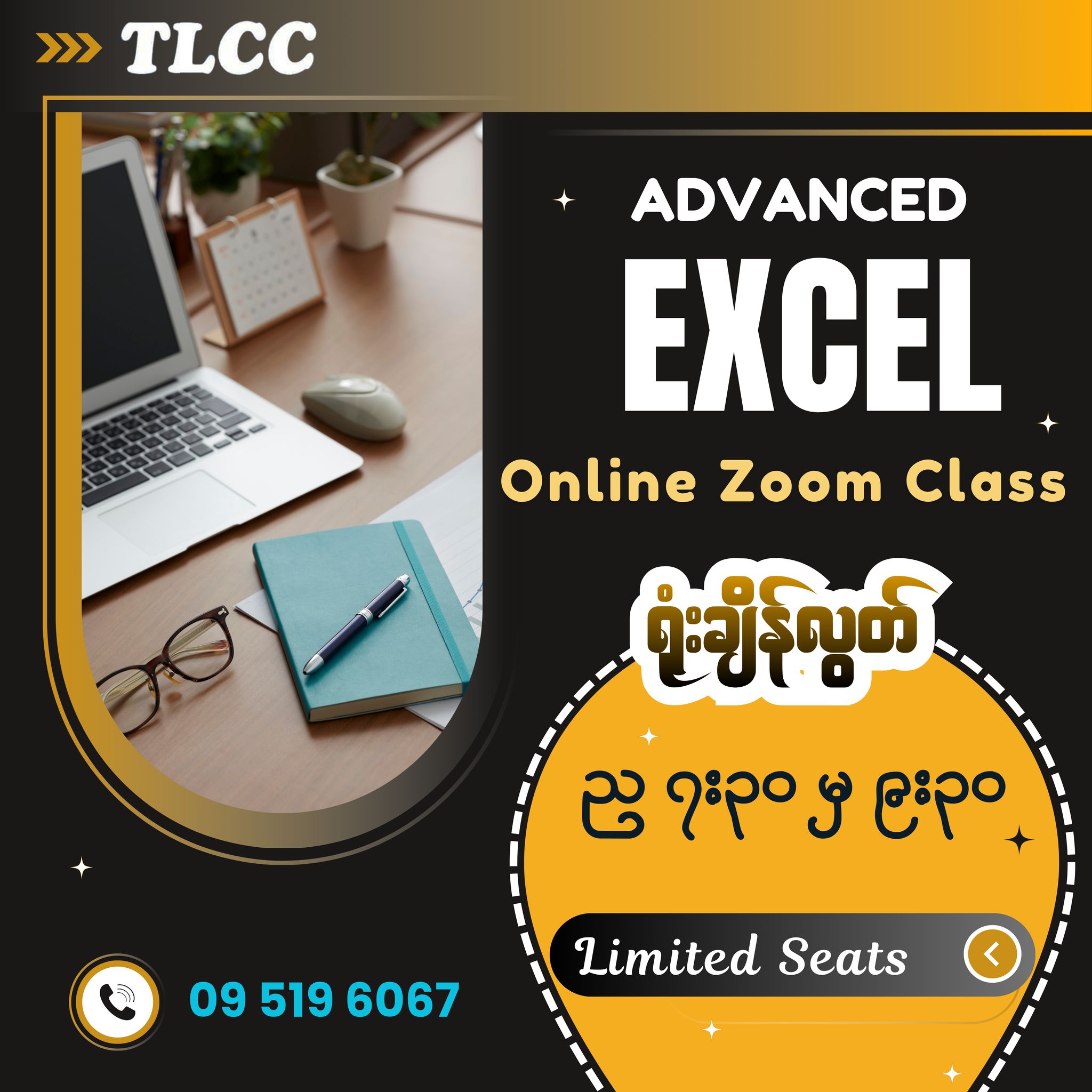
 Facebook ad: “လုပ်ငန်းခွင်အတွက် Computer Basic to Advanced - Online Video…”
Ran for 55 days, from September 25 to November 19, 2026, the last day Crush saw it.
Run by TLCC Computer Centre on Facebook. Crush is not the advertiser and does not verify its claims. See this ad in Meta's Ad Library(opens in a new tab)
Make your own version of this ad
Crush makes it, launches it in your own Meta ad account, scales the winners and pauses the losers.
About this ad
- Meta Ad Library ID
- 2899651063747849
- Platforms
- Relaunches
- 0
- Niche
- Education & Courses
Ad text
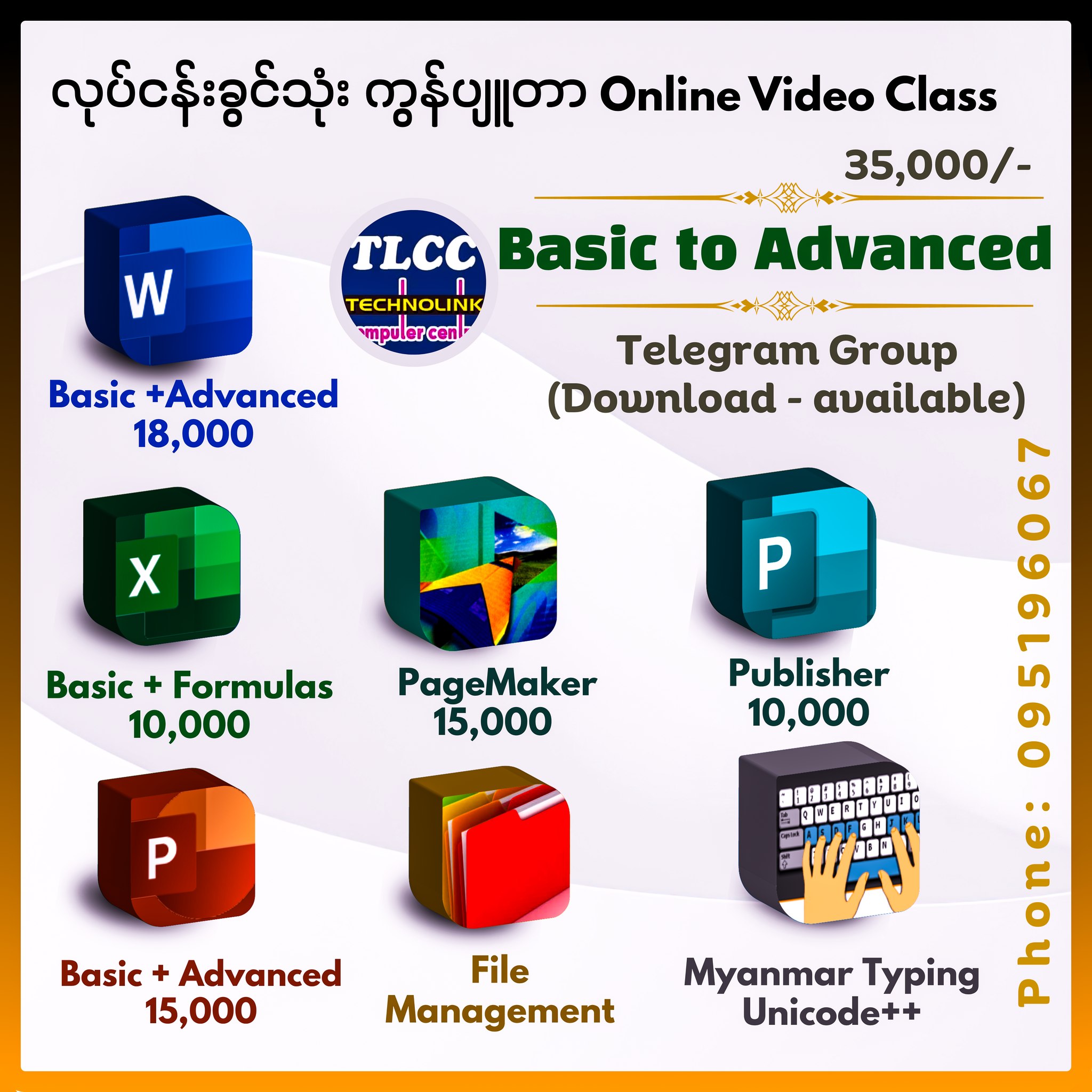
လုပ်ငန်းခွင်အတွက် Computer Basic to Advanced - Online Video Class 👉👉👉ဘယ်သူတွေတက်သင့်လဲ 🔶 သင်တန်းရှိရာနေရာကိုလဲ မလာနိုင်ဘူး။ Zoom နဲ့ လဲ Live Join ဖို့ အချိန်မပေးနိုင်ဘူး ကွန်ပျူတာနဲ့ အလုပ်တွေ လုပ်ချင်တယ်၊ Laptop လဲရှိတယ်။ Wi-fi လဲ အဆင်ပြေတယ်၊ Office App များကို Beginner Level ကနေ Advanced Level အထိ တတ်မြောက်ချင်တယ်ဆိုရင် တက်သင့်ပါတယ်။ 👉👉👉ဘယ်လိုသင်ပေးမှာလဲ 🔶 ဆရာကိုယ်တိုင် သင်ပေးထားတဲ့ Video Record (High Resolution - Clear Voice) နဲ့ Self Study လုပ်နိုင်မယ့် Video Course နဲ့ သင်ရပါမယ်။ မသိတာ မေးလို့လဲ ရပါတယ်။ Group ထဲမှာ သင်ထောက်ကူ ဖိုင်တွေလဲ ပေးထားပါမယ်။ သင်တန်းတက်ခွင့် Lifetime ရပါမယ်။ နောက်ထပ် တိုးလာတဲ့ သင်ခန်းစာတွေကိုလဲ လေ့လာသင်ယူခွင့်ရမှာဖြစ်ပါတယ်။ 👉👉👉ဘာတွေလိုအပ်လဲ 🔶 Video များရှိသော နေရာ ...... Telegram 🔶 လိုအပ်ချက်များ ...... Laptop or Desktop, Wi-fi လိုင်း 🔶 (Wi-fi လိုင်းသည် Video များ ဒေါင်းဖို့ တကြိမ်ပဲ လိုအပ်ပါမည်) 🔶 သင်တန်းကာလ ...... တတ်မြောက်သည်အထိ။ 🔶 Telegram Group Access ..... Lifetime for 1 Account 🔶 ကိုယ့် Laptop ထဲမှာ အောက်ပါတို့အနက် တခုခု ရှိရပါမယ်။ 🔶 Windows Version 7, 8, 10, 11 (တခုရှိရင်ရပြီ) 🔶 Microsoft Office 2010, 2013, 2016, 2019, 2021, 365 (တမျိုးရှိရင်ရပြီ) 👉👉👉ဘာတွေပါမှာလဲ 🔶 Basic သင်ခန်းစာများ 🔹Introduction to Computer Systems 🔹Smart Typing (English-Myanmar) 🔹Windows Settings 🔹ကွန်ပျူတာ ဆက်တင်များ 🔹Introduction to Word, Excel, PowerPoint 🔹စာရွက်စာတမ်း ဖန်တီးခြင်း၊ စာရင်းဇယား ပြုလုပ်ခြင်း၊ 🔹ဆလိုက်ရှိုးလုပ်ခြင်း အခြေခံများ 🔶 Basic + Advanced Word ✅ Document Setup ✅ Preparing Paragraphs ✅ Creating Columns ✅ Inserting Images, Shape, Tables ✅ Myanmar word processing ✅ Applying Page Numbers and Heading ✅ Inserting Smart Arts ✅ Print and Layouts ✅ Exporting as PDF file Word ဖြင့် Documentation စာရွက်စာတန်းများ ဖန်တီးပြုလုပ်ခြင်း၊ လျှောက်လွှာများ ၊ ကက်တလောက်များ၊ ဆောင်းပါးများ၊ ပုံနှင့် တွဲပြသော ရှင်းလင်းတင်ပြချက်များကို Print ထုတ်နိုင်သည်အထိ Confident ရှိရှိ ဆောင်ရွက်နိုင်ရန် အာမခံပါသည်။ 🔶 Basic + Formulas in Excel 🔷 Excel Basic and Data Entry 🔷 Excel အခြေခံများကို နားလည်ခြင်း 🔷 Calendar Making in Excel 🔷 Excel တွင် ရိုးရိုး ပြက္ခဒိန် လုပ်ခြင်း ဖြင့် Excel Features များကို သင်ယူခြင်း 🔷 Excel File Print 🔷 Excel Print တာက Word နဲ့ မတူတဲ့အတွက် သီးသန့် ထပ်သင်ထားပါတယ်။ 🔷 Excel Number Formats 🔷 Excel မှာ အရေးအကြီးဆုံး အပိုင်း 🔷 Making a sale voucher in Excel 🔷 Sales Voucher တခုကို manual လုပ်ကြည့်ခြင်း 🔷 References and Formula in Excel 🔷 Excel မှာ အသုံးဝင်တဲ့ Formula ရေးနည်းနဲ့ Reference (2) မျိုးအကြောင်း 🔷 Excel Charts and Conditional Formatting 🔷 Data Visualization ကို Excel မှာ လုပ်နည်း၊ ဆိုင်တဆိုင်၏ စာရင်းများသွင်းခြင်း၊ ဘောက်ချာပြင်ဆင်ခြင်း၊ Total, Average, Maximum တို့ကို ရှာပြီး Chart ထုတ်ခြင်း၊ Data Value အလိုက် Highlight ပြခြင်း၊ Size အတိအကျ Print ခြင်း၊ Excel Sheet များတွင် အလိုအလျောက် အဖြေထွက်အောင် Formula ရေးခြင်း တို့ကို ပိုင်နိုင်ကျွမ်းကျင်မှာဖြစ်ပါတယ်။ Basic + Advanced PowerPoint 🟥 PowerPoint Presentation with transitions 🟥 ပါဝါပွိုင့် မှာ လှုပ်ရှားမှု Effect များထည့်ခြင်း 🟥 Slide Show Setting and Printing Layout 🟥 Automatic Slide Show လုပ်ခြင်းနှင့် Print လုပ်ခြင်းများ အလုပ်အတွက်၊ ကျောင်းအတွက်၊ Seminar အတွက် Marketing အတွက် Slide ပြင်နည်းများကို သိရှိပြီး Manual Show အပြင် Auto play သည့် Slide Show များ လုပ်တတ်မည်ဖြစ်ပြီး၊ Video အဖြစ် ထုတ်ယူနည်းကိုပါ သင်ပေးထားပါသည်။ 🔷 Publisher 🟥 Business Card with Publisher 🟥 လုပ်ငန်းအတွက် လိပ်စာကတ်ကို တမိနစ်အတွင်း လုပ်နည်း 🟥 Customized Calendar for gift 🟥 လက်ဆောင်ပေးဖို့ ဓာတ်ပုံပါတဲ့ ပြက္ခဒိန်ကို နှစ်မိနစ်အတွင်း လုပ်နည်း 🟥 Book Layout in Publisher 🟥 ကော်လံခွဲ စာအုပ်များနှင့် ပုံပါ စာအုပ်များကို လှပစွာလုပ်နည်း Publisher သည် Layout Design Software ဖြစ်သည့်အတွက် Word နဲ့ မတူတဲ့ Features များရှိပါသည်။ ထို Features များကို သိအောင် သင်ပေးထားပါသည်။ သင်တန်းပြီးပါက ကိုယ်ပိုင် Idea ဖြင့် လှပခန့်ညားသော online PDF Book များကို စီးပွားဖြစ်ထုတ်လုပ်နိုင်ပါမည်။ Print လုပ်လို့လဲ ရပါသည်။ 🔷 About Windows Windows မှာအရေးကြီးတဲ့ Features တွေဖြစ်တဲ့ 🟥 User Account and Windows Update ကိုသေချာစွာ သင်ကြားပေးထားပါသည်။ 🔷 PageMaker ✅ Introduction to PageMaker ✅ PageMaker ဖြင့် Document ဖန်တီးခြင်း ✅ Letter Head ✅ ကုမ္ပဏီသုံး Letter Head လုပ်နည်း ✅ Address Card ✅ Customized လိပ်စာကတ်များကို PageMaker တွင် လုပ်နည်း ✅ CV form ✅ အလုပ်လျှောက်ရန် CV Form လုပ်နည်း ✅ Table ✅ ဇယားကွက်ဆွဲနည်း ✅ Master Page ✅ စာမျက်နှာနံပါတ် Auto တပ်နည်း စာစီစာရိုက်နဲ့ မိတ္တူဆိုင်အတွက် လိုအပ်သော PageMaker မှာမှ အဆင်ပြေသည့် Document များ ဖန်တီးနည်းကို သင်ပေးထားပါတယ်။ PageMaker မှာ Myanmar Unicode မရနိုင်တဲ့အတွက် ရနိုင်တဲ့ Myanmar Font Layout များကို သင်ပေးထားပါတယ်။ 🔷 Email ✅ Using Gmail ✅ GMail အကောင့် ပြုလုပ်နည်းနှင့် Mail ဝင်ထွက် Attachment များလုပ်နည်း ✅ Windows Myanmar Unicode settings 👉👉👉စာမေးလို့ရလား 🔶 စာမေးလို့ရပါတယ်။ 🔶 ဒီ Promotion မှာ Package တခုလုံးကို 35,000/- နဲ့ သင်တန်းသား/သင်တန်းသူ 100 တိတိ ပဲ လက်ခံမှာဖြစ်ပါတယ်။ အခု ပြည့်ပြီးပါပြီ။ ဒါပေမယ့် Promotion ဆက်ပေးထားပါတယ်။ 🔷 တခုပဲ တက်မယ် ရလား Package တခုလုံးမယူဘဲ တခုစီ ယူရင် ပုံမှာပါတဲ့အတိုင်း ခွဲတက်လို့ရပါတယ်။ 👉👉👉ဘယ်လိုအပ်ရမလဲ 🔶 ငွေလွှဲနဲ့ အပ်နိုင်ပါတယ်။ Kpay / AYA pay / Wave Pay 095196067 U Thi La 🔶 ငွေလွှဲပြီး SS ကို messenger m.me/tlcconline သို့မဟုတ် Viber 095196067 မှာ လာပြပေးပါ။ Join ဖို့အတွက် Telegram Link ပေးပါမည်။ 🔶 သင်တန်းကျောင်းက အပြင်မှာ တကယ် ရှိလား။ Online ပဲရှိတာလား အပြင်မှာ တကယ်ရှိတဲ့ သင်တန်းကျောင်းဖြစ်ပါတယ်။ On Campus အပြင်သင်တန်းများကို လစဉ် တန်းခွဲသစ်များ ဖွင့်လှစ်သင်ကြားပေးနေပါတယ်။ အပြင်သင်တန်း တက်ချင်ရင် အောက်ပါ လိပ်စာအတိုင်းလာခဲ့ပါ။ Weekdays, Weekends, Group Class, By One Private Class များရှိပါတယ်။ 🔸🔷 TLCC ကွန်ပျူတာစင်တာ 🔸🔷 အမှတ် ၇၆ ၊ ၄ လွှာ၊ ဗညားဒလလမ်း၊ 🔸🔷 မဆလာစက်မှတ်တိုင် အနီး 🔸🔷 မင်္ဂလာတောင်ညွန့် ရန်ကုန်မြို့။ 🔸🔷 ဖုန်း 09-5196067, 09-972425557 သင်တန်းအပ်ဖို့ ADO ရေးပြီး အပ်လို့ ရပါတယ်။ ကျေးဇူးတင်စွာဖြင့် 🔹🔸🔹💖