
Key Takeaways
- 1No single AI marketing tool covers every job, so pick one tool per job: ads, creative, copy, SEO and AI search, social, email, analytics and automation.
- 2Most of the tools on this list had a free plan in November 2026, so you can cover analytics, design, copy, video, social, email and automation before you pay anything.
- 3Across the four competing lists we read, only one names a tool for running paid ads, and it gives no price; Crush does that job for Meta ads only.
- 4The billing unit (credits, tasks, active profiles, contacts, channels or seats) decides your real cost more than the entry price does.
- 5Every price here is a US dollar price read on the vendor's own pages in November 2026, and nothing in this article comes from hands-on testing.
Fifteen AI marketing tools, one or two per job, with what each does, where it falls short and the US price on the vendor's own pages in November 2026.
An AI marketing tool is software that uses AI to do one marketing job for you: make an ad, write copy, find keywords, schedule posts, send email or read your numbers. No single tool does every job well, so the best setup in 2026 is one strong pick per job. This list gives you 15.
Each pick has what it does, who it suits, where it falls short and what it costs in US dollars, read from the vendor's own pages in November 2026. Crush is our own product. It is listed first for the one job it does, Meta ads, and its limits are stated like everyone else's.
The 15 best AI marketing tools at a glance
| Tool | Job | Best for | Main limit | Starting price (US, checked November 2026) |
|---|---|---|---|---|
| Crush | Meta ads, end to end | Online stores that advertise on Facebook and Instagram | Meta ads only; built for online stores | Plans are shown after a short quiz |
| AdCreative.ai | Ad creative | Teams that launch their own ads and need more variations | 20 credits a month on the entry tier | $39 a month; 7-day free trial |
| Canva | Design | Non-designers who need social, ad and print graphics | AI allowance stated only as a multiple of Free | Free; Pro $144 a year |
| Descript | Video editing | Talking videos, podcasts and short clips | Free exports at 720p with a watermark | Free; $16 a month billed annually |
| ChatGPT | Copy and research | Drafts, ideas and rewrites on a small budget | Can state wrong facts; check before you publish | Free; Plus $20 a month |
| Jasper | On-brand copy | Marketing teams that need a fixed brand voice | No free plan; 1 seat on Pro | $59 a month per seat billed yearly |
| Semrush | SEO and AI search | Keyword, competitor and AI visibility tracking in one place | Highest listed starting price on this list | Limited free plan; Starter $199 a month ($165.17 billed annually) |
| Surfer | SEO content | Writing and scoring articles for Google and AI answers | Entry plan tracks no AI prompts | $49 a month billed yearly |
| Buffer | Social scheduling | Solo owners posting to a few channels | Paid plans are priced per channel | Free for 3 channels; $5 a month per channel billed yearly |
| Klaviyo | Email and SMS | Online stores | Billed on active profiles, not on sends | Free to 250 profiles; from $20 a month |
| Mailchimp | Small businesses that are not stores | No generative AI below the Standard plan | Free to 250 contacts; from $13 a month | |
| Google Analytics 4 | Analytics | Every website, as the baseline | Predictive metrics need 1,000 buyers in 7 days | Free |
| Triple Whale | Ecommerce analytics | Stores that spend on several ad channels | Paid prices are not published | Free plan; paid plans by walkthrough |
| Zapier | Automation | Connecting apps without code | Free allows 100 tasks and two-step workflows | Free; $19.99 a month billed annually |
| Make | Automation | Longer, branching workflows at a lower price | Every action spends a credit | Free; $9 a month billed annually |
How we chose these tools
We started with the list articles on Google's US first page for "ai marketing tool" on November 14, 2026. The three highest are Zapier's list of 17 (last updated June 2026), Insider One's list of 17 (updated November 6, 2026) and Avidly's list of 13 (no date shown). We added Marketer Milk's list of 30 (published February 26, 2026) as a fourth, longer comparison. Then we looked for what a small team still could not learn from them.
- Zapier's list gives a starting price for every pick, but it has no tool that runs paid ads and no web analytics tool such as Google Analytics.
- Insider One's list is mostly personal productivity: 12 of its 17 tools handle meeting notes, to-do lists, inbox writing or summaries. It has no comparison table.
- Avidly's list gives no prices and still includes GPT-3 and Google Bard.
- Marketer Milk's list states a dollar price for 3 of its 30 tools, and its one advertising pick, Albert.ai, has no price.
So we organized this list by the eight jobs a small marketing team has to cover: ads, creative, copy, SEO and AI search, social, email, analytics and automation. Each job gets one or two picks that a small business can sign up for online today.
For every tool we opened the vendor's pricing page and, where a limit was not on it, the vendor's help pages, all in November 2026. We did not run hands-on tests for this article, so nothing here is a test result. The limits come from the vendors' own pages or from the reviews we name.
One caveat on prices: we checked from the EU, and some pricing pages showed us euros. For those we switched the page to its US view (Canva, Mailchimp) or took the dollar price from another page of the same vendor (ChatGPT, Semrush, Surfer). Each entry names the page we used.
What counts as an AI marketing tool?
Three kinds of product use the label. Generators make something: an image, a video cut, a paragraph. Analyzers read data and tell you what changed. Agents take the action for you, such as launching a campaign or sending an email flow.
The kind matters when you compare prices. A generator saves you minutes per asset. An agent takes over a recurring task, so check more carefully what it is allowed to do in your accounts before you connect it.
1. Crush: Meta ads from creative to launch to scaling
Crush is an AI tool for Meta ads, meaning Facebook and Instagram. It creates ad creatives and copy for your store, including new versions of proven ads picked from its ad library. It launches the campaigns in your own Meta ad account, scales the winning ads and turns off the losing ones. Autopilot runs the testing hands-off. The four lists above barely touch this Facebook ads automation job: only one names an advertising tool, and it gives no price.
Crush also tracks competitors through the Meta Ad Library and keeps their history, including ads that were taken down. It publishes daily organic posts to your store's own TikTok, Instagram and Facebook. The app is available in 11 languages.
Best for: online stores that want one tool to make, launch and manage their Facebook and Instagram ads.
Where it falls short: ads run on Meta only. Crush does not run Google, TikTok, LinkedIn or Pinterest ads. It is built for online stores and is not a general content suite, so you will still need other tools on this list for jobs like email and analytics. It is also our own product, so weigh this entry against our list of other AI tools for Facebook ads.
Price: plans are shown after a short quiz at trycrush.ai. There is a 14-day money-back guarantee and you can cancel anytime. The Crush Ad Library is free with no signup: it holds millions of Facebook and Instagram ads from Meta's public Ad Library and shows how many days each ad has run.
2. AdCreative.ai: ad images and videos in volume
AdCreative.ai generates ad banners, ad texts, product photoshoots and videos, including ads built from a web page address. It also scores creatives before you spend on them, shows competitor insights and checks ads for brand, platform and policy compliance.
Best for: a team that already runs its own campaigns and needs more variations to test.
Where it falls short: the entry Starter tier includes 20 credits a month, 1 brand and 1 user. The largest Starter tier is 120 credits and 2 brands for $189 a month; past that, Professional starts at $249 a month for 300 credits. The site says its scoring predicts ad performance with over 90% accuracy. That is the vendor's own figure and we could not verify it, so judge the tool on your own trial. For more options in this job, see our list of AI ad creative tools.
Price: Starter is $39 a month on monthly billing, with a 7-day free trial that includes 20 credits. Checked November 2026 at AdCreative.ai.
3. Canva: design for people who are not designers
Canva is a template-based design tool with AI built in. On the pricing page the AI list includes Magic Write for text, image creation, generating whole designs and videos from a prompt, and AI ad creation. Paid plans come with 3.6 million templates and 141 million stock assets, against 1.6 million templates and 4.7 million stock assets on Free.
Best for: owners and small teams who need social posts, ad images, flyers and presentations that look consistent, without hiring a designer.
Where it falls short: the heavier AI tools, such as design and video generation, draw on a shared monthly allowance, and the pricing page states it only in relative terms. Free gets limited access and none of the top-tier AI tools. Pro gets 10 times the Free allowance and Business gets 20 times. A free trial carries the Free allowance, so you cannot test the full AI volume before you pay.
Price: Free; Pro is $144 a year for one person; Business is $250 a year per person, before tax. These are the US prices on the pricing page. Checked November 2026 at Canva.
4. Descript: edit video by editing the transcript
Descript transcribes your recording and lets you cut the video by deleting words in the text. Its AI editor, Underlord, turns a raw recording into a tighter cut. It also makes short clips from long videos, adds captions in one click and cleans up voice audio with Studio Sound.
Best for: founder videos, product demos, webinars and podcasts that you want to turn into short clips for social.
Where it falls short: the Free plan gives 60 minutes of media a month and 100 AI credits once, and it exports at 720p with a watermark. The Hobbyist plan cannot buy extra media time or AI credits; top-ups start at the Creator plan. Zapier's reviewers also note that transcription is sometimes inaccurate.
Price: Free; Hobbyist is $16 a month per person billed annually or $24 billed monthly (10 hours of media, 400 AI credits a month, 1080p); Creator is $24 billed annually or $35 billed monthly (30 hours, 800 credits, 4K). Checked November 2026 at Descript pricing.
5. ChatGPT: drafts, ideas and research
ChatGPT is the general assistant most small teams start with. It writes and rewrites copy, creates images, summarizes documents and researches a topic. The Plus plan adds advanced reasoning models, projects, scheduled tasks and custom GPTs, which you can set up with your product facts and tone.
Best for: one person who needs first drafts of ads, emails, product descriptions and posts, and who will edit them before they go out.
Where it falls short: OpenAI's own help center says the model can produce incorrect or misleading answers, including made-up quotes and citations, and tells users to verify important information. On the ChatGPT pricing page, the Free plan limits uploads, image creation and deep research, and the lower-cost Go plan may include ads.
Price: Free; Plus is $20 a month, billed monthly, with no annual plan, per OpenAI's help center. Checked November 2026.
6. Jasper: copy that stays on brand across a team
Jasper is an AI platform built for marketing teams. You store your brand voice, style guide, audiences and product knowledge once, and its agents apply them to each piece: blog posts, emails, social posts and campaign copy.
Best for: a marketing team where several people write and the copy has to sound like one brand.
Where it falls short: there is no free plan, only a 7-day trial. Pro includes 1 seat, 2 brand voices, 5 knowledge assets and 3 audiences, and adding users means contacting sales. Jasper's home page now pitches the product to enterprise marketing teams, and the Business plan is custom-priced with a 12-month commitment. For a solo owner, ChatGPT Plus costs about a third as much.
Price: Pro is $69 a month per seat billed monthly, or $59 a month billed yearly with a 12-month commitment. Checked November 2026 at Jasper pricing.
7. Semrush: SEO and AI search tracking in one suite
Semrush sells SEO and AI search tracking in one plan family. You get keyword and competitor research, daily rank tracking and site audits, and it tracks how your brand shows up for prompts in AI search. Zapier's list picks it for SEO and competitor analysis.
Best for: a business that treats search as a main channel and wants Google rankings and AI visibility in one report.
Where it falls short: its paid plans have the highest listed starting price on this list. Starter covers 5 SEO projects, 500 keywords tracked daily and 50 AI prompts tracked daily. Historical SEO data and content optimization start at Pro+, which is $299 a month. Zapier's reviewers say the number of features can be overwhelming. The free plan is limited to 1 demo project and 10 reports a day.
Price: Starter is $199 a month, or $165.17 a month billed annually; Pro+ is $299 a month, or $248.17 billed annually, per Semrush's own plan comparison of October 21, 2026. A lower-priced SEO plan is $139 a month billed monthly, per Semrush's blog of November 10, 2026. There is a 7-day free trial. The Semrush pricing page showed us euros in the EU, so confirm the dollar price there before you buy. Checked November 2026.
8. Surfer: write and score articles for Google and AI answers
Surfer is a content editor that scores your draft as you write, with separate scores for SEO and for AI search. Its assistant, Surfy, helps draft and fix pages inside the editor. An AI tracker shows whether ChatGPT, Gemini, Perplexity, AI Mode and AI Overviews mention your brand for the prompts you choose.
Best for: a team that publishes articles every month and wants a clear target for each one before it goes live.
Where it falls short: the pricing page showed us yearly prices only, and Surfer says annual plans are charged for the full year upfront. The entry plan, Discovery, tracks no AI prompts. Standard tracks 25 prompts refreshed weekly, and daily tracking of 50 prompts starts at Pro. We found no money-back guarantee on the pricing page.
Price: Discovery is $49 a month, Standard $99 and Pro $182, all billed yearly. The dollar figures are from Surfer's own comparison page; the Surfer pricing page showed us the same numbers in euros. Checked November 2026.
9. Buffer: schedule posts to the channels you use
Buffer schedules and publishes posts to Instagram, Facebook, TikTok, LinkedIn, X, YouTube, Threads, Pinterest, Google Business Profile, Bluesky, Mastodon and Substack. Its AI Assistant generates post ideas, repurposes an existing post for another channel and shortens long content into a post. The assistant is included on every plan, Free included.
Best for: a solo owner or small team that writes its own posts and wants them queued across a few channels.
Where it falls short: the Free plan allows 3 channels, 1 user and 10 scheduled posts per channel at a time. Paid plans are priced per channel, so the bill grows with every profile you add, although channels above 10 cost less each. Text you type into the AI Assistant is shared with OpenAI.
Price: Free for up to 3 channels; Essentials is $5 a month per channel billed yearly ($60 a year); Team is $10 a month per channel billed yearly ($120 a year). Paid plans start with a 14-day free trial. Checked November 2026 at Buffer pricing.
10. Klaviyo: email and SMS for online stores
Klaviyo is an email and SMS platform built around store data. Its AI features include generative tools for segments and emails, predicted customer lifetime value, personalized send times, and Composer, a marketing agent that reads your campaign and flow results and drafts a campaign from an idea.
Best for: online stores that want abandoned cart, welcome and win-back flows driven by what each customer bought.
Where it falls short: you pay by active profiles, not by what you send. If your active profiles exceed your plan, Klaviyo's billing rules move you to a higher plan at the next billing cycle, and the plan does not drop back on its own when the list shrinks. On the Free plan you cannot send email until you are back under the limit. On the Free and Email plans, Composer comes with $5 of usage a month.
Price: Free for up to 250 active profiles and 500 emails a month; the Email plan starts at $20 a month for 500 profiles and 5,000 emails. Checked November 2026 at Klaviyo pricing.
11. Mailchimp: email for everyone else
Mailchimp covers newsletters, signup forms, templates and automated flows for any kind of small business. Generative AI features are included on the Standard and Premium plans at no extra cost.
Best for: service businesses, local businesses and creators who need a newsletter and a few automated emails, not store-level data.
Where it falls short: generative AI is not included on Essentials or Free. Its assistant, Intuit Assist, is in beta for certain users in select countries and works in English only. Essentials limits a flow to 4 steps. The Free plan stops at 250 contacts and 500 emails a month, with a cap of 250 a day, and sending pauses if you pass a limit. On paid plans you are billed overages instead.
Price: Free up to 250 contacts; Essentials starts at $13 a month and Standard at $20 a month, each with a 14-day free trial. Prices rise with your contact count. These are the US dollar prices on the pricing page. Checked November 2026 at Mailchimp pricing.
12. Google Analytics 4: the free baseline for your numbers
Google Analytics is free and shows where your visitors come from and what they do. Its machine learning does two useful things. Insights flags unusual changes in your data automatically, and you can set your own alerts. Predictive metrics estimate purchase probability, churn probability and revenue for your recent users.
Best for: every website. Set it up before you pay for any other analytics tool.
Where it falls short: small sites rarely get the predictive part. Google requires at least 1,000 returning users who bought (or churned) and 1,000 who did not, over a seven-day period in the last 28 days, before it trains a model. In the standard version, data retention tops out at 14 months and you can create 50 custom insights per property.
Price: free. The enterprise version, Analytics 360, is sold by contract. Limits checked November 2026 on Google's Analytics help pages.
13. Triple Whale: one view of store revenue and ad spend
Triple Whale pulls a store's paid, owned, subscription and organic numbers into one dashboard and adds its own tracking pixel for attribution. Its assistant, Moby AI, answers questions about what changed in your business. The Free plan also tracks how your brand shows up in ChatGPT.
Best for: stores that spend on more than one ad channel and no longer trust what each platform reports about itself.
Where it falls short: the paid plans (Foundation, Automate and Enterprise) show no price on the pricing page. Prices depend on your store's annual sales and the package, paid plans are 12-month subscriptions, and you book a walkthrough to get a quote. The Free plan has first and last click attribution only; multi-touch attribution starts at Foundation. It is built for ecommerce brands, not for service businesses. If you only need the math on one campaign, a free ROAS calculator is enough.
Price: Free plan with no credit card; paid plans by walkthrough. Checked November 2026 at Triple Whale pricing.
14. Zapier: connect your tools without code
Zapier moves data between apps: a new lead goes to your email tool, a new order goes to a spreadsheet, a form reply starts a follow-up. Zapier says it connects more than 9,000 apps. Paid plans can add AI steps inside a workflow, for example to sort a lead or draft a reply, and a Copilot helps you build workflows.
Best for: non-technical teams that want two tools on this list to work together in an afternoon.
Where it falls short: the Free plan allows 100 tasks a month and only two-step workflows, with one trigger and one action. AI steps are not on Free, and Copilot has a daily message limit there. You pay by task, and the price climbs with volume: 2,000 tasks a month is $49 a month on annual billing.
Price: Free; Pro starts at $19.99 a month billed annually, or $29.99 billed monthly, for 750 tasks. Checked November 2026 at Zapier pricing.
15. Make: longer workflows for less money
Make does the same job as Zapier on a visual canvas, where you can branch and filter a workflow. It lists more than 3,500 apps. Its AI assistant, Maia, builds automations from a conversation, and AI agents (in beta) are listed as included on every plan, Free included.
Best for: teams with multi-step, branching workflows that would use many tasks on Zapier.
Where it falls short: you pay in credits and most actions in a workflow use one, so a long workflow can spend many credits in one run. Features that use Make's AI provider can cost more than one credit each. When you run out, your workflows stop until you add credits. The Free plan runs a workflow at most every 15 minutes.
Price: Free with 1,000 credits a month; Core is $9 a month, Pro $16 and Teams $29, each for 10,000 credits a month on annual billing, which is 15% cheaper than paying monthly. Checked November 2026 at Make pricing.
How do you build a stack from this list?
You do not need 15 tools. Most small teams need three or four, and you can start most jobs for nothing. These free plans were live when we checked in November 2026:
- Analytics: Google Analytics 4, free.
- Design and copy: Canva Free and ChatGPT Free.
- Video: Descript Free, with 60 minutes of media a month and a watermark on exports.
- Social: Buffer Free, with 3 channels and 10 scheduled posts per channel.
- Email: Mailchimp Free (250 contacts) or Klaviyo Free (250 active profiles), each with 500 emails a month.
- Automation: Zapier Free (100 tasks a month) or Make Free (1,000 credits a month).
- Ad research: the Crush Ad Library, free with no signup.
Then pay in this order:
- Name the job that costs you the most hours or money. For a store that lives on paid social, that is ads. For a consultant, it is usually content and email.
- Pay for that job first, and only that job. Add the next tool when the first one is in daily use.
- Check what the tool bills on. AdCreative.ai and Make bill on credits, Zapier on tasks, Klaviyo on active profiles, Mailchimp on contacts, Buffer on channels, Jasper on seats and Triple Whale on your store's annual sales. The unit decides what you pay in month six, not the entry price.
- Read the limit before the feature list. Every entry above has one. If the limit hits the thing you do most, pick the other tool for that job.
- Re-check the price on the day you buy. Vendors change plans often, and promotions like the one we saw at AdCreative.ai come and go.
If paid ads are the job you are fixing first, our AI ad tool comparisons put the main options side by side.
Frequently Asked Questions
Common questions about this topic
1Which AI tool is best for marketing?
2What is an AI marketing tool?
3Are there free AI marketing tools?
4How much do AI marketing tools cost?
5What are the most popular AI marketing tools?
6Can you make $1,000 a day or $10,000 a month using AI marketing tools?
About this article
This article was written with AI assistance and researched against the sources listed below. It was reviewed by our automated editorial checks before publishing. Ad examples and ad data come from the Crush ad library.
Sources
- Zapier: The 17 best AI marketing tools in 2026 (zapier.com)
- Insider One: 17 best AI marketing tools marketers rely on in 2026 (insiderone.com)
- Avidly: The 13 best AI tools for marketing (avidlyagency.com)
- Marketer Milk: 30 best AI marketing tools (marketermilk.com)
- AdCreative.ai: features and pricing (adcreative.ai)
- Canva: plans and pricing (canva.com)
- Descript: pricing (descript.com)
- OpenAI Help Center: What is ChatGPT Plus? (help.openai.com)
- Jasper: pricing (jasper.ai)
- Semrush: plans and pricing (semrush.com)
- Semrush blog: Starter vs. Pro+ plan comparison (October 21, 2026) (semrush.com)
- Surfer: pricing (surfer.ai)
- Surfer: Surfer vs Semrush, features and pricing compared (US dollar prices) (surfer.ai)
- Buffer: pricing (buffer.com)
- Klaviyo: pricing (klaviyo.com)
- Mailchimp: marketing plans and pricing (mailchimp.com)
- Google Analytics Help: Predictive metrics (support.google.com)
- Triple Whale: pricing (triplewhale.com)
- Zapier: plans and pricing (zapier.com)
- Make: pricing (make.com)
Written by
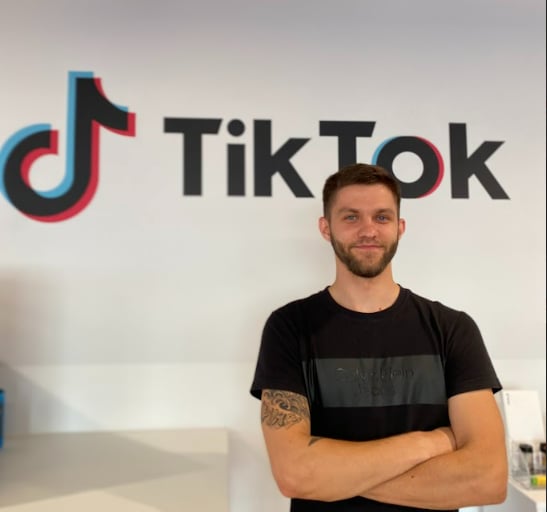
Albertas Pocius
Co-founder, CMOAlbertas is the Co-Founder and CMO of TryCrush.ai, bringing elite-level performance marketing expertise to the platform. With over $50M+ in combined Facebook and TikTok ad spend, Albertas has launched and scaled dozens of projects from zero, driven by a deep obsession with data and experimentation. He has trained 20+ media buyers, consulted 100+ companies, and is widely recognized as one of Europe’s early TikTok pioneers, likely the first to scale campaigns beyond $100K per day. Today, he also teaches advertising strategy at two colleges, shaping the next generation of media buyers.
Stop Guessing.
Start Crushing.
AI Ad Manager trained by world-class media buyers to generate your creatives and optimize your ads 24/7.
Learn more
Related articles

Small Business, Big Impact: How AI Levels the Playing Field in 2026
Big budgets no longer guarantee success. In 2026, artificial intelligence is the ultimate equalizer. Learn how agile e-commerce brands use autonomous AI agents to automate ad testing, optimize budgets, and outmaneuver slow-moving corporate giants.

The 2026 Digital Marketing Specialist: Adapt or Die
The skills that got you hired in 2020 are now automated. To survive as a digital marketing specialist in 2026, you must evolve from a media buyer into an AI-driven Growth Architect. Discover the essential skills, tools, and strategies to future-proof your career today.
How to Hire a Facebook Ads Freelancer That Actually Delivers
Most freelancers promise the world but fail to deliver. Discover the battle-tested framework to find, vet, and hire a media buyer who understands strategy and creative. Includes job templates and interview scripts.
What Is Meta Pixel Used For? Store Tracking Basics
Understand what the Meta Pixel is used for: conversion tracking, audience planning and ad optimization for an online store.