
Key Takeaways
- 1A product-link brief favors Creatify for Meta ads; judge subscription fit by whether output meets your product, brand, and offer needs within the production budget.
- 2Use demonstrations of essential fonts and required product-image treatments, not custom-avatar availability alone, to assess Creatify's broader brand suitability before subscribing.
- 3Use product assets plus the presenter's approved appearance and surroundings as your brand-consistency check, especially when HeyGen videos change outfits or settings.
- 4Before publishing, inspect each placement preview to confirm cropping and text coverage leave the product, offer, and call to action readable.
Pick Creatify for product-link video ads, or HeyGen for a recurring avatar spokesperson and multilingual content. Compare features, published pricing, limitations, and the fit for your store.
Creatify is the better fit for your small store's Meta ads when you want to turn product links into video ads. adworkflow.ai suggests HeyGen when the brief depends on a controlled spokesperson, avatar, voice, or multilingual delivery format.
| Feature | Creatify AI | HeyGen |
|---|---|---|
| Starting material | Turns product links into video ads. | Generates videos from text, images, or audio. |
| Avatar options | Creatify lists 1,500 realistic AI actors and three custom avatars on Pro and higher plans. | A text prompt in Generate Looks can change a Custom Avatar's outfit, pose, or setting. |
| Voice and translation | Offers text-to-speech. | Offers text-to-speech and video translation. |
| Free allocation | Watermarked exports. | Each video can run up to one minute, with HeyGen's Free plan covering up to three per month. |
Choose a tool for your video brief
Match the tool to your video brief: start with your product assets, decide whether you need a recurring presenter, and test the output before committing to a subscription.
- Favor Creatify when you want to turn a product link into a video ad.
- Favor HeyGen when the same Custom Avatar needs different outfits, surroundings, or poses across your videos.
- Use the free allocations to assess your actual product: Creatify allows up to two video ads, while HeyGen allows up to three videos monthly.
Write the creative brief before comparing subscriptions. A sample planning brief you can adapt is: “Introduce the canvas tote, explain the inside pocket, and close with Shop now.” This makes the product the focus and gives you something concrete to evaluate in an export.
A different brief might require the same presenter to deliver your product explanation in different languages. HeyGen's avatar customization and translation capabilities make it the more relevant option for that requirement.
Neither choice should rest on the most impressive demo alone. Your buying question is whether the tool can produce an acceptable ad for your actual product, brand, and offer within your production budget.

What Creatify does for product-led Meta ads
Creatify's URL-to-video feature creates video ads from product links. Consider Creatify when you already have a product page and need a video ad built around the item.
Creatify lists AI actors, custom avatars, and text-to-speech for ad creation. Its API, intended for software integrations, combines URL-to-video, avatar lip synchronization, image-to-video, product-to-video, custom templates, AI Editing, and text-to-speech.
For a small store, the practical attraction is building a video ad from the product page. You can assess whether the generated video explains the item accurately without making a recurring presenter the center of the creative brief.
Brand consistency still needs an acceptance standard. Use your approved product photography, packaging, colors, logo treatment, and wording as references when reviewing the output. Product color, label text, and included accessories deserve more attention than a convincing background.
If a particular font is essential, ask for a demonstration using that font before subscribing. Do the same for any required product-image treatment. A custom-avatar listing alone should not decide whether a tool meets your broader brand requirements.
What HeyGen does for avatar-led Meta ads
HeyGen's features for ad creation include avatar-led video production, product placement, appearance changes, and multilingual content. It is a stronger fit when the presenter is part of the brand's creative brief.
HeyGen describes its AI ad generator as a way to produce on-brand ads quickly. Its platform also creates videos in over 170 languages and dialects. Its Product Placement feature adds physical products to videos with a click, while its Generate Looks feature changes a Custom Avatar's pose, surroundings, or attire using a text prompt. Listed uses for Generate Looks include adding a physical product to avatar videos and creating multiple camera angles. These controls are relevant when you want a recognizable spokesperson without keeping every video visually identical.
For brand consistency, define the presenter's approved appearance and surroundings alongside the product assets. Review whether each export still looks like the same brand, especially when changing an outfit or setting.
Multilingual production also needs a content check. Have someone fluent in the intended language review the meaning, product terminology, and pronunciation before using the video in an ad. Keep your approved product claims consistent across language versions.
Pricing and value for a small store
Compare the subscription with the number of finished videos you can actually use, including the work needed to correct or replace an unacceptable output.
Creatify's free plan and paid-plan evaluation
Creatify's Free Plan includes 10 monthly credits for up to two video ads or 20 image ads. It includes 300 AI actors, 10 premium AI models, and 40 ad templates; exports carry a watermark.
Use that allocation to assess product accuracy and the editing workflow. Paid plans start at $15 a month for Standard (55 credits), with Pro at $55 (280 credits) and Max at $95 (730 credits), or about 30% less billed annually, per Creatify's pricing page (checked October 25, 2026). Compare those credits with your expected usable exports. Ask what a changed script, replacement avatar, or revised output would mean for your credit usage.
HeyGen's Free, Creator, Pro, and Business plans
HeyGen lists a Free plan with up to three videos monthly, each up to one minute, and limited trial access to premium features such as Avatar IV, Video Agent, and lip-sync translation. Its Creator tier costs $29 a month, or $24 a month billed annually, for 600 credits, videos up to 30 minutes and 1080p exports, and Pro starts at $49 a month for 1,000 credits (checked October 25, 2026). All Pro tiers include the same features; only the monthly credit allocation changes.
HeyGen's Business plan costs $149 monthly for the first seat and includes 1,500 monthly credits. Additional seats cost $20 per seat per month (checked October 25, 2026).
Compare cost per usable export
Do not assume that a credit buys the same amount of work in each product. Ask each vendor to price the videos you plan to make, including the features you need and the revisions you expect.
Hypothetical value check: a $60 subscription producing six usable videos costs $60 ÷ 6 = $10 per usable video. A $30 subscription producing two usable videos costs $30 ÷ 2 = $15 per usable video.
For that comparison, define “usable” before generating: accurate product details, approved wording, acceptable voice, consistent branding, and the required placement format. This keeps an inexpensive but unsuitable export from distorting your buying decision.

Ease of use and output checks
Use each tool's free allocation to test product accuracy, presenter quality, and the work needed to correct an export.
Creatify holds 4.8 out of 5 from 1,779 reviews on G2 but 3.7 from 842 reviews on Trustpilot (both checked October 25, 2026). Trustpilot's summary of recent reviews praises speed and ease of use but shows mixed views on output quality and customer service, so test both with your own product.
For a limitation worth inspecting, Reloop's Creatify review calls out generated hand and hair movement for close inspection. Treat that as a reason to watch movement carefully in your own exports, particularly around the product.
HeyGen holds 4.8 out of 5 from 1,974 reviews on G2 (checked October 25, 2026), where reviewers praise ease of use, realistic avatars, and voice cloning, including digital twins, or personalized avatar versions of themselves.
These opinions are useful prompts for evaluation. Listen to your own product names and inspect the actual presenter, product, and motion before approving an export. An attractive avatar should not distract from an incorrect label or an unclear explanation.
Test revisions before subscribing
In HeyGen's Generate Looks, use a text prompt to adjust the Custom Avatar's clothing, background, or pose. Test the revised appearance against your approved product assets and presenter brief.
During your trial, try correcting a mispronounced product name or inaccurate packaging. Record which changes you can make yourself, which need another generated output, and any credit charge shown before you confirm. Compare the revised export with the original to check that the correction has not introduced another problem.
Before subscribing, read the plan's support terms and credit policy for your expected production schedule. Keep the original product assets and approved script available so any correction request is precise.
Meta placement ratios and video requirements
Use placement-specific exports and keep your product, offer, and call to action readable within the space available.
Meta supports 1:1 and 4:5 for Feed images and videos, and recommends vertical 4:5 for Facebook Feed single-image ads. It also recommends 9:16 for Stories, Status, and Reels because most people hold their phones vertically.
For video exports, use Meta's placement-specific design recommendations and technical requirements:
- Facebook Feed video: the recommended ratio is 4:5. Technical requirements are a video duration of 1 second to 241 minutes, a maximum file size of 4GB, and a minimum width of 120 pixels.
- Instagram Feed video: the recommended ratio is 9:16. Videos must run from 1 second to 60 minutes, stay within 4GB, and be at least 250 pixels wide.
- Instagram Stories video: the recommended ratio is 9:16. Uploads must be no larger than 4GB, with videos lasting from 1 second to 60 minutes. Consider leaving roughly 14% of the top, 35% of the bottom, and 6% on each side free from text, logos, or other key creative elements to avoid cropping key elements or covering them with the profile icon or call-to-action.
Meta says video-length allowances differ by placement, although shorter videos are usually more engaging on mobile. Its in-stream specifications list 5 seconds to 10 minutes for mobile and 5 to 15 seconds for desktop.
Choose your working length around a complete product message, not the longest export your subscription permits. Keep the opening focused on the product or buying problem, and remove material that does not help explain the item or offer.
An on-video call to action can be as simple as “Shop the collection,” provided it matches your actual offer. Check the placement preview for text coverage and cropping before publishing. Do not assume an avatar-centered composition will leave enough room for your product and offer in every placement.
Alternatives to Creatify AI and HeyGen
What are some alternatives to Creatify AI?
Alternatives to Creatify AI include HeyGen for multilingual avatar videos and, in Seller Stacked's comparison, Synthesia for corporate-polished avatars. Seller Stacked also highlights Synthesia's Universal Layouts for consistent branding. Consider it when a polished presenter format is part of your brief.
Consider Shhots AI alongside Creatify for product-link ads, based on Aitoolsdirectory's description of its URL-to-video workflow and AI-generated creators. Shhots AI recommends its own tool for ecommerce product videos and image ads made from a single product photo or Shopify URL.
If Arcads is also on your shortlist, read the Creatify vs Arcads comparison. If competitor research is a separate buying need, the BigSpy pricing and features review covers that comparison.
What are some AI tools similar to HeyGen?
Tools similar to HeyGen include Creatify for product-link video ads. If you need Meta ads made and launched rather than avatar videos, Crush, our own platform, handles ad creation with campaign management. It creates ad creatives and copy, launches campaigns in your own Meta ad account, and offers optional Autopilot to run testing.
For this buying decision, prefer HeyGen when multilingual avatar production is the main requirement, or Creatify when product-link video generation is the main requirement. Consider Crush when you want ads made, launched, and optimized without an agency.
Which one should you pick?
Following adworkflow.ai's advice, pick Creatify to turn a product input into several paid-social video candidates quickly; pick HeyGen for a controlled spokesperson, avatar, voice, or multilingual delivery format.
When both meet the brief, compare the subscription cost against usable exports for the videos you plan to make. If neither produces acceptable product detail, wording, and brand consistency, keep your existing production method while you evaluate another option.
If campaign execution is the bigger job you want to hand off, build your ad plan with Crush to explore our Meta ads platform.
Frequently Asked Questions
Common questions about this topic
1Is Creatify or HeyGen better for a small store's Meta ads?
2Can HeyGen put physical products in avatar videos?
About this article
This article was written with AI assistance and researched against the sources listed below. It was reviewed by our automated editorial checks before publishing.
Sources
- Creatify AI, AI Ad Library Overview (creatify.ai)
- Creatify vs HeyGen (2026), Which AI Tool is Right for You? | adworkflow.ai (adworkflow.ai)
- AI Video Creation Platform for Scalable, Personalized Content | HeyGen (heygen.com)
- Creatify | Pricing Plans for best AI Video Generator (creatify.ai)
- HeyGen for Marketers: The Ultimate Jumpstart Guide to AI Video Creation (heygen.com)
- Pricing Plans for Creators and Marketers | HeyGen (heygen.com)
- Create High-Performing AI Video Ads in Minutes | HeyGen (heygen.com)
- HeyGen Credit-Based Pricing Plans & Subscriptions Explained | HeyGen Help Center (help.heygen.com)
- trustpilot.com (trustpilot.com)
- g2.com (g2.com)
- Creatify AI Review 2026: Real Ads, True Cost & Honest Verdict | Reloop (reloop.so)
- g2.com (g2.com)
- Awareness Video Ad Specs on Facebook Feed | Facebook Ads Guide (facebook.com)
- Awareness Video Ad Specs on Instagram Feed | Facebook Ads Guide (facebook.com)
- Awareness Video Ad Specs on Instagram Stories | Facebook Ads Guide (facebook.com)
- Video length specifications across placements | Meta Business Help Center (facebook.com)
- HeyGen Review | Seller Stacked (sellerstacked.co)
- Shhots AI Review & Pricing: Is It Worth It for Ecommerce Brands? AI Tools Directory (aitoolsdirectory.business.blog)
- 7 Best Creatify AI Alternatives 2026 (Cheaper, from $19/mo) (shhots.ai)
- Best practices for aspect ratios | Meta Business Help Center (facebook.com)
Written by

Ignas Obulaitis
Head of ITIgnas Obulaitis is the head of IT for TryCrush.ai, leading the platform’s engineering and AI innovation. With a strong background in product-driven development, Ignas has built and scaled complex systems across fintech, SaaS, and AI-focused companies. An ex-IBM engineer and former Head of Development at Fluensure, Ignas combines deep technical expertise with a sharp product mindset to turn ambitious ideas into scalable, production-ready technology.
Stop Guessing.
Start Crushing.
AI Ad Manager trained by world-class media buyers to generate your creatives and optimize your ads 24/7.
Learn more
Related articles
Arcads vs HeyGen: AI Actors, Avatars and Workflows
Arcads fits ready-script actor clips; HeyGen fits custom presenters, localization and product placement. Compare pricing models and usable-ad costs.
Mastering Facebook Traffic Campaigns: Strategy & Setup
Most advertisers misuse the Facebook Traffic objective. Discover why "traffic" is often a vanity metric and how to set up campaigns correctly using "Landing Page Views" to avoid bots. Perfect for content promotion and newsletter growth.
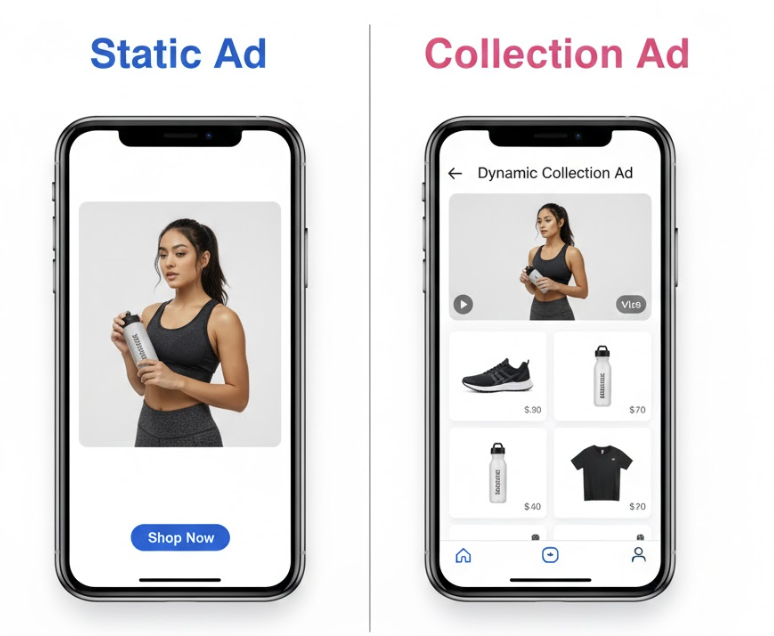
Facebook Link Ads vs. Collection Ads: Which Converts Better?
Deciding between the direct traffic of Link Ads or the immersive experience of Collection Ads? We break down the data on bounce rates, ROAS, and use cases to help you pick the winner for your brand.
Creatify vs Arcads: Which Fits Your Store's Meta Ads?
Choose Creatify for a product-link workflow with broader creation tools. Consider Arcads for scripted presenter ads. Compare the full production cost before subscribing.