
Key Takeaways
- 1Link Ads drive high traffic volume but often suffer from 50-70% bounce rates
- 2Collection Ads filter for user intent, resulting in higher ROAS and lower bounce rates
- 3Use Link Ads for single hero products and Collection Ads for browsing fashion catalogs
- 4Ensure 1:1 aspect ratio for Feeds and 9:16 for Stories to avoid poor formatting
- 5Select the 'Storefront' template for Collection Ads to leverage dynamic product ordering
Deciding between the direct traffic of Link Ads or the immersive experience of Collection Ads? We break down the data on bounce rates, ROAS, and use cases to help you pick the winner for your brand.
When you create a facebook sponsored post, you have a choice to make.
Do you go with the classic, reliable facebook link ad (Single Image/Video)? Or do you get fancy with a facebook collection ad (Instant Experience)?
It seems like a small detail, but the format you choose dictates the user experience. One sends them straight to your site. The other keeps them on Facebook for a shopping experience.
In this guide, we will break down the pros and cons of each format, and help you decide which one will drive more sales for your specific business.
The Standard Link Ad: The Workhorse
This is the ad you see 90% of the time.
Structure:
Media (Image or Video).
Primary Text.
Headline.
CTA Button.
The User Flow: Click → Website.
Why it wins
Simplicity. It has one job: Get the user off Facebook and onto your landing page. If you have a high-converting landing page, this is usually the best format because it minimizes friction.
When to use it
Selling a single "Hero Product."
Lead Generation (sending to a VSL or form).
When your website experience is better than Facebook's native experience.
The Collection Ad: The Digital Storefront
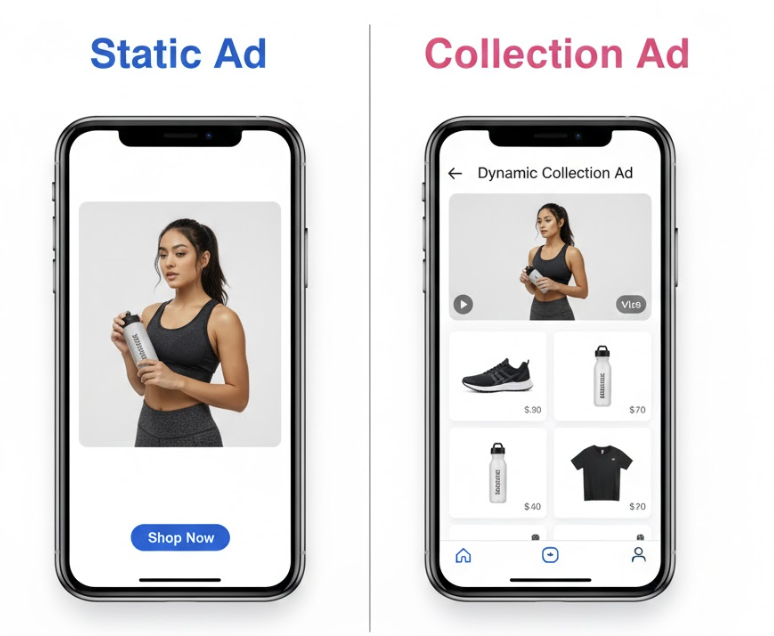
A Collection Ad is an "Instant Experience." It is particularly effective for those focused on Facebook ads for ecommerce and affiliate marketing who need to showcase depth.
Structure:
Main Media (Video or Image) on top.
4 small product tiles underneath.
The User Flow: Click → Instant Storefront (loads instantly inside Facebook) → Click Product → Website Product Page.
Why it wins
Discovery. It allows the user to browse your catalog without leaving the app. If you sell fashion or decor, this is powerful because users love to "window shop."
When to use it
Fashion/Apparel brands with deep catalogs.
"Shop the Look" videos (Video shows a model, tiles show the items she is wearing).
Retargeting (showing users items they looked at + new arrivals).
The "Friction" Debate: Quality vs. Volume
Every advertiser faces the same trade-off: Do you want more traffic (Volume) or better traffic (Quality)? This is where the battle between Link Ads and Collection Ads is won or lost.
Link Ads: The Low Friction Route
Mechanism: One click = One Landing Page View. It is a direct pipeline.
Pros: It is fast. It is easy. It gets a lot of people to your site quickly. If your website is optimized for conversion (fast load speed, great copy, easy checkout), you want people there as fast as possible. You want to control the experience.
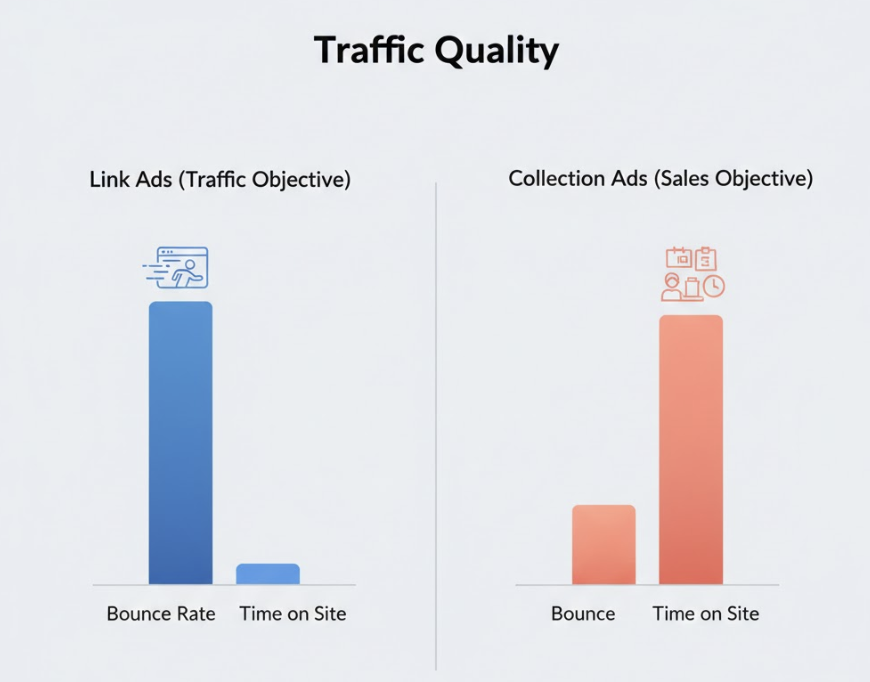
Cons: Because it is so easy to click, you get a lot of "accidental" clicks or "curiosity" clicks. Bounce rates can be high (50-70%). You are paying for people to visit your site for 3 seconds and leave. Also, if your site is slow, you lose them before the pixel even fires, which can lead to data blindness regarding ROAS.
Collection Ads: The High Friction Route
Mechanism: Click Ad → Open Instant Experience → Scroll → Click Product → Website. It is a funnel within a funnel.
Pros: This is a "double qualification" process. The user has to take two actions to get to your site. This filters out the bots and the fat fingers. If someone lands on your site from a Collection Ad, they have already browsed your catalog and explicitly chosen a product. They are "warm." They have intent.
Cons: You will get fewer website visitors. If you are optimizing for "Landing Page Views," your cost will look higher. You might pay $2.00 per visitor instead of $1.00. But that visitor is worth more.
Data Insight: The "Bounce" Factor
In our tests across 50+ fashion brands, we found a consistent pattern:
Link Ads: Low CPC ($0.50), High Bounce Rate (60%), Conversion Rate (1.5%).
Collection Ads: High CPC ($1.20), Low Bounce Rate (30%), Conversion Rate (2.8%).
Winner: Collection Ads often had a higher ROAS despite the higher front-end costs because the traffic quality was superior.
Technical Setup & Specs: Getting It Right
Nothing kills performance like bad formatting. If your Collection Ad cover video is cropped, or your Link Ad headline is truncated, you look unprofessional. Here is your cheat sheet for 2026.
Link Ad Specs
Aspect Ratio: Use 1:1 (1080x1080) for Feeds and 9:16 (1080x1920) for Stories/Reels. Do not use landscape (16:9) unless it is for In-Stream ads. Understanding the nuance between Ads on Reels vs. In-Stream ads is vital for placement optimization. If you run a square image on Stories, Facebook adds ugly colored bars to the top and bottom. Don't do it. Use Asset Customization to upload both formats.
Headline: Keep it under 40 characters. "Free Shipping" fits. "Get Free Shipping on Orders Over $50" gets cut off. Use this space for the Offer or the main Benefit.
Primary Text: The first 125 characters are critical. That is what people see before they have to click "See More." Put your hook there. Do not bury the lede.
Collection Ad Specs
Cover Media: This is the big image/video at the top. Use a 1:1 (Square) or 16:9 (Landscape) asset. Avoid vertical here as it pushes the products too far down the screen, forcing the user to scroll just to see the items.
The Catalog: You must have a Product Catalog synced with Meta. If you use Shopify, this is automatic via the Facebook Sales Channel app. Ensure your product images are clean (white background usually works best for the tiles).
Product Sets: Don't just show "All Products." Create specific sets. If the cover video is about "Summer Dresses," the products underneath should be Summer Dresses, not winter coats. Relevance is key. If the video and the products don't match, the user gets confused and leaves.
Advanced Tip: The "Storefront" Template vs. "Customer Acquisition"
When setting up a Collection Ad, you will see templates. Choose the "Storefront" template. It is the most robust. It allows you to feature a specific collection and lets Facebook's algorithm dynamically reorder the products based on what that specific user is most likely to buy. The "Customer Acquisition" template is more like a landing page, which defeats the purpose of the dynamic catalog.
Conclusion: Which One Wins?
There is no universal winner, but there is a general rule.
If you sell ONE thing (or a few things), use Link Ads. Focus on selling the click.
If you sell A LIFESTYLE (fashion, beauty, home), use Collection Ads. Let them browse the vibe.
The best strategy? Test both. Run a campaign where you test ABO vs. CBO with one Link Ad ad set and one Collection Ad ad set, and let the algorithm vote with your money.
Need to sync your catalog for Collection Ads? Crush integrates seamlessly with Shopify to keep your product feeds healthy.
Frequently Asked Questions
Common questions about this topic
1What is the difference between Facebook Link Ads and Collection Ads?
2Which Facebook ad format has a better conversion rate?
3When should I use Facebook Collection Ads?
4What are the correct specs for Facebook Link Ads?
Written by

Rokas Steponavičius
Founder, CEORokas is the Founder and CEO of TryCrush.ai, an ex-IBM professional turned entrepreneur focused on building AI-driven growth platforms. With a strong background in ecommerce, performance marketing, media buying, and artificial intelligence, Rokas specializes in creating scalable, data-led systems that drive measurable revenue. His mission is to help modern businesses leverage AI to optimize acquisition, conversions, and long-term profitability.
Stop Guessing.
Start Crushing.
AI Ad Manager trained by world-class media buyers to generate your creatives and optimize your ads 24/7.
Learn more
Related articles
Different Types of Ads: 2026 Data on What Converts
Stop guessing which ad formats work. We analyzed over 1.8 million Facebook ads to find exactly which types of ads generate profitable returns in 2026.
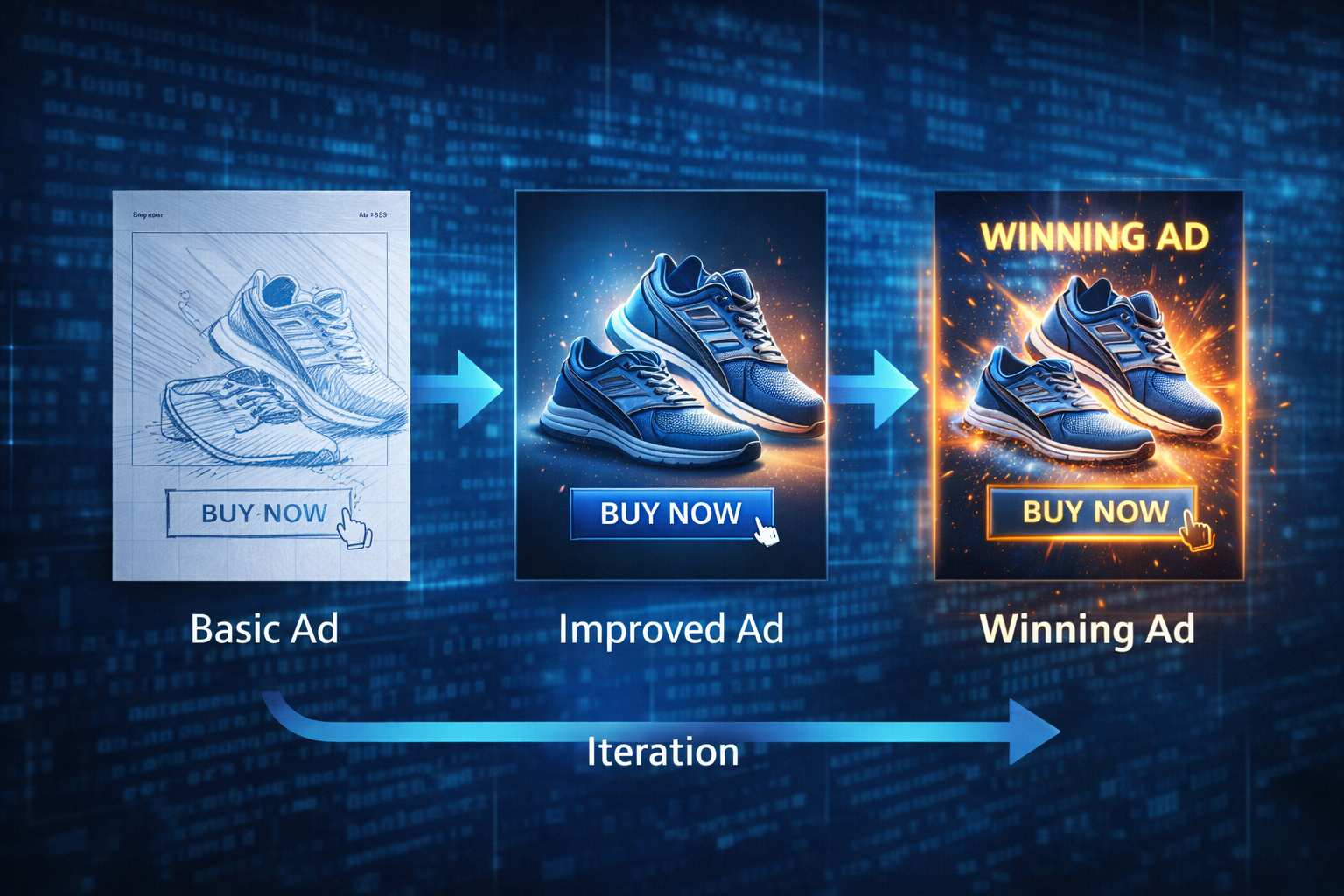
The "Creative Fatigue" Lie: You Don't Need More Ads, You Need Better Iterations
Think you need fresh creative every week? Discover why "Creative Fatigue" is a myth and learn the step-by-step process to iterate existing ads into high-converting winners without filming new footage.
AI Creative Studio: Ad Data and Formats for 2026
Discover how media buyers use AI creative studios to generate, test, and scale Facebook ads based on data from millions of active campaigns.
From $1k to $10k/Day: The Mathematical Path to Vertical Scaling
Hitting a wall at $1,000/day in ad spend? You're facing the efficiency vs. volume paradox. Discover how to use dynamic vertical scaling and confidence intervals to push through the glass ceiling and reach $10k/day profitably.