
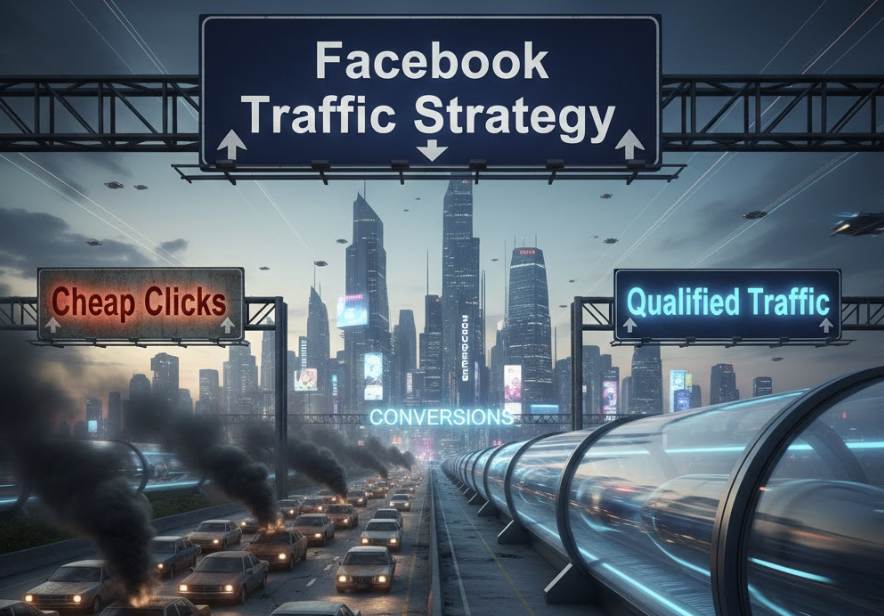
Key Takeaways
- 1Optimize for Landing Page Views over Link Clicks to filter bots and accidental taps
- 2Avoid the "Traffic Trap": Only use traffic objectives for content, podcasts, or newsletters
- 3Uncheck Audience Network placement to prevent low-quality, accidental mobile clicks
- 4Target specific interests like "Kindle" or "Goodreads" to find engaged readers
- 5Traffic campaigns build awareness but rarely drive direct sales effectively
Most advertisers misuse the Facebook Traffic objective. Discover why "traffic" is often a vanity metric and how to set up campaigns correctly using "Landing Page Views" to avoid bots. Perfect for content promotion and newsletter growth.
If you ask a beginner what they want from Facebook Ads, they usually say: "I want more traffic to my website."
So, they open Ads Manager. They see an objective called "Traffic." They click it. They high-five themselves.
A week later, they check the results. 1,000 clicks! $0.10 per click! Amazing!
Then they check their sales. Zero.
This is the "Traffic Trap." It is the most common mistake in digital marketing.
In this guide, we are going to deconstruct the traffic campaign facebook objective. We will explain why "traffic" is often a vanity metric, how to distinguish between "Link Clicks" and "Landing Page Views," and the very specific situations where you should actually use this objective.
The Great Illusion: Clicks vs. Humans (The Bot Problem)
To understand facebook traffic ads, you have to understand how the algorithm thinks. It is a literal genie. It gives you exactly what you ask for, but not what you want.
When you select "Traffic" as your objective, you are telling Meta: "Find me people who are likely to click on a link."
Meta says: "Okay, I know exactly who those people are."
Who are they? They are often not your ideal customers. They are:
The "Fat Finger" Brigade: People scrolling on mobile who click by accident while trying to swipe.
Bots and Scrapers: Automated scripts scanning the web.
"Happy Clickers": Older demographics who click everything but never read, buy, or remember what they clicked.
Meta will fulfill your request. It will give you thousands of cheap clicks ($0.05 CPC). You will see a huge spike in your Shopify analytics. But your bounce rate will be 99%, and your time on site will be 0 seconds.
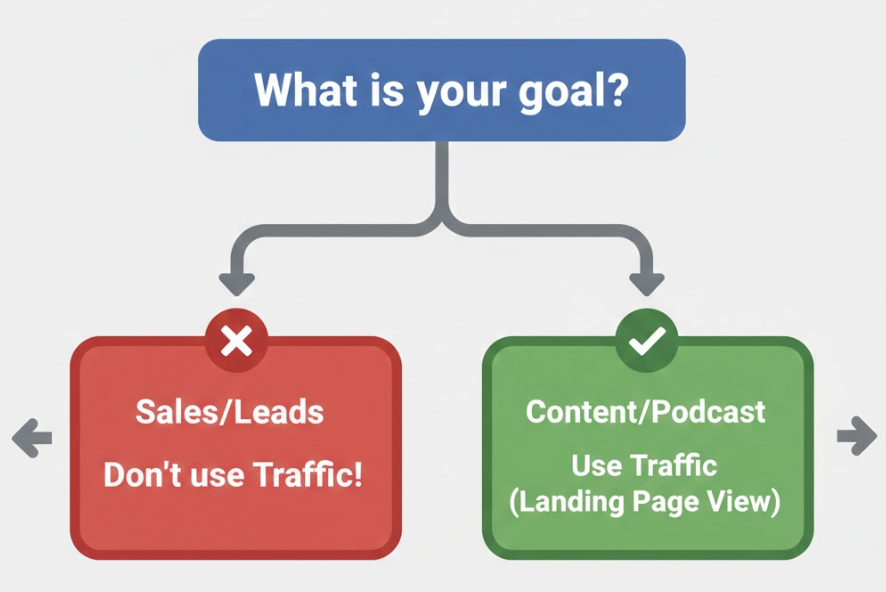
This is why 90% of advertisers should NOT use Traffic campaigns. If you want sales, ask for "Sales." If you want leads, ask for "Leads." Only ask for Traffic if the traffic is the goal.
Link Clicks vs. Landing Page Views
If you do decide to run a traffic campaign, you must change one setting immediately.
In the Ad Set level, under "Optimization & Delivery," you will see a choice:
Link Clicks
Landing Page Views
Link Clicks: Facebook counts a "success" the moment the user taps the ad. Even if your site takes 3 seconds to load and the user closes the window before it loads, you still pay.
Landing Page Views: Facebook only counts a "success" if the user taps the ad, waits for the site to load, and the Pixel fires. This filters out the accidental clicks and the bots.
Rule of Thumb: Always optimize for Landing Page Views. Your CPC (Cost Per Click) will be higher, but your traffic quality will be infinitely better.
When Should You Actually Use a Traffic Campaign?
I have bashed facebook traffic campaigns enough. Do they have a place in 2026? Yes. But only for specific goals.
1. Newsletter Growth
If you have a high-converting landing page (e.g., a Squeeze Page) and you just want to get eyeballs on it, a Traffic campaign can work, if you have a very strong retargeting setup on the back end.
2. Promoting Content (Blog Posts)
If you wrote a killer article (like this one!) and you want to build authority, you can run traffic ads to it. You aren't asking for a sale yet; you are just warming people up. Then, you retarget the readers with a Sales ad later.
3. Podcast Downloads
If you are sending people to Spotify or Apple Podcasts, you can't install a Pixel there. So you can't optimize for "Conversions." In this case, "Traffic" is your only option.
Step-by-Step Setup for Quality Traffic: The "Junk Filter" Protocol
If you are going to run a Traffic campaign, do it right. Here is the exact setup that minimizes junk and maximizes engaged readers. For a broader overview of the interface, check our Facebook Ads Manager campaign setup guide.
Step 1: Campaign Level
Select "Traffic" objective. Name it "TOFU - Content Promotion" (TOFU = Top of Funnel). Turn on CBO if you are testing multiple articles.
Step 2: Ad Set Level (The Technical Fix)
Conversion Location: Select "Website."
Optimization for Ad Delivery: Change this from "Link Clicks" to "Landing Page Views." This is non-negotiable.
Placements: Click "Manual Placements." Uncheck Audience Network. Audience Network is essentially "banner ads in mobile games." It is notorious for accidental clicks from kids playing Angry Birds. Uncheck it to save your budget.
Step 3: Targeting (The "Reader" Filter)
Since you are paying for attention, target people who read.
Interests: Kindle, Goodreads, Medium.com, The New York Times.
These audiences are more likely to actually read your blog post than a generic broad audience.
Step 4: Creative (Selling the Click)
You aren't selling a product yet. You are selling a headline.
The Curiosity Gap: "The 1 thing you are doing wrong with your [X]."
The Listicle: "7 Tools I use to run my business."
The Contrarian: "Why I stopped doing [Popular Thing]."
Traffic vs. Sales: The Showdown
Let's look at the math to understand why we usually optimize for Cost Per Acquisition (CPA) rather than cheap clicks.
Scenario A: Traffic Campaign
Budget: $100
CPC: $0.20
Visitors: 500
Conversion Rate: 0.5% (Cold traffic, low intent)
Sales: 2.5
CPA: $40
Scenario B: Sales Campaign
Budget: $100
CPC: $1.00 (Much more expensive!)
Visitors: 100
Conversion Rate: 3.0% (High intent, algorithm found buyers)
Sales: 3
CPA: $33.33
See that? The Sales campaign had 5x higher click costs ($1.00 vs $0.20), but it still won on CPA. Because the quality of the visitor was higher.
Cheap traffic is expensive if it doesn't convert.
Conclusion
The "Traffic" objective is a tool. Like a hammer. If you use a hammer to drive a screw, you will ruin the wall.
Use Traffic campaigns for content, podcasts, or very specific awareness plays. Do not use them to sell products.
If you want revenue, ask the algorithm for revenue.
Want to stop guessing which objective to use? Let Crush configure your campaigns automatically based on your real business goals.
Frequently Asked Questions
Common questions about this topic
1What is the difference between Link Clicks and Landing Page Views in Facebook Ads?
2When should I use the Traffic objective on Facebook?
3Why are my Facebook Traffic ads getting clicks but no sales?
Written by

Ignas Obulaitis
Head of ITIgnas Obulaitis is the head of IT for TryCrush.ai, leading the platform’s engineering and AI innovation. With a strong background in product-driven development, Ignas has built and scaled complex systems across fintech, SaaS, and AI-focused companies. An ex-IBM engineer and former Head of Development at Fluensure, Ignas combines deep technical expertise with a sharp product mindset to turn ambitious ideas into scalable, production-ready technology.
Stop Guessing.
Start Crushing.
AI Ad Manager trained by world-class media buyers to generate your creatives and optimize your ads 24/7.
Learn more
Related articles
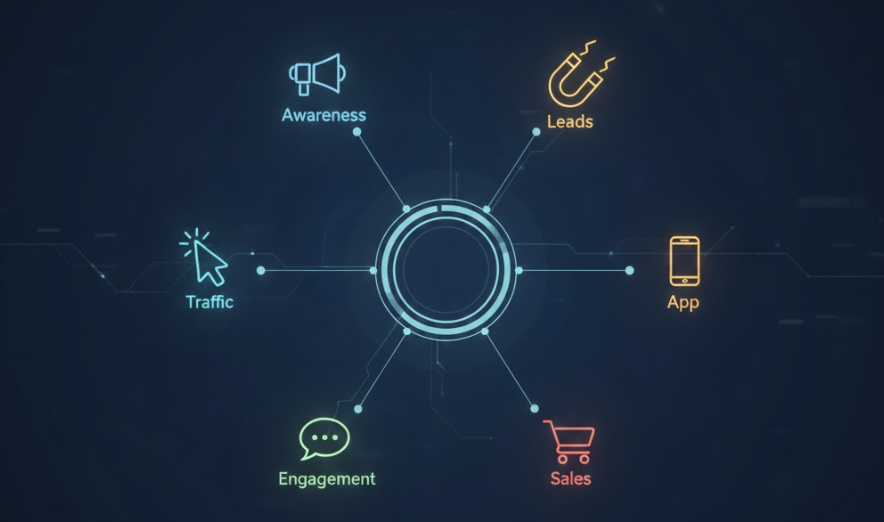
A Complete Guide to Types of Facebook Campaigns
Choosing the wrong objective is the #1 reason Facebook Ads fail. In this guide, we break down the 6 ODAX campaign types available in 2026 and help you decide which one drives actual revenue versus vanity metrics.
4 Proven Marketing Goal Examples Backed by Real Ad Data
Learn how to map a theoretical marketing goal to a profitable advertising campaign using longevity and duplicate data from top-performing Facebook ads.

Facebook App Campaigns: Installation & Engagement Strategies
Building an app is hard; getting users is harder. Discover how to master Facebook App Campaigns, from SDK setup and AEO bidding to high-converting Advantage+ creative strategies.
ABO vs. CBO: Guide to Scaling Facebook Ads in 2026
Is ABO dead? In 2026, the answer is no. Discover why you need a Hybrid Framework that leverages ABO for precise testing and CBO for massive scaling. Learn the 3-step pipeline to structure your ad account for maximum profit.