
Key Takeaways
- 1Facebook is discovery-based; you create demand rather than fulfilling search intent
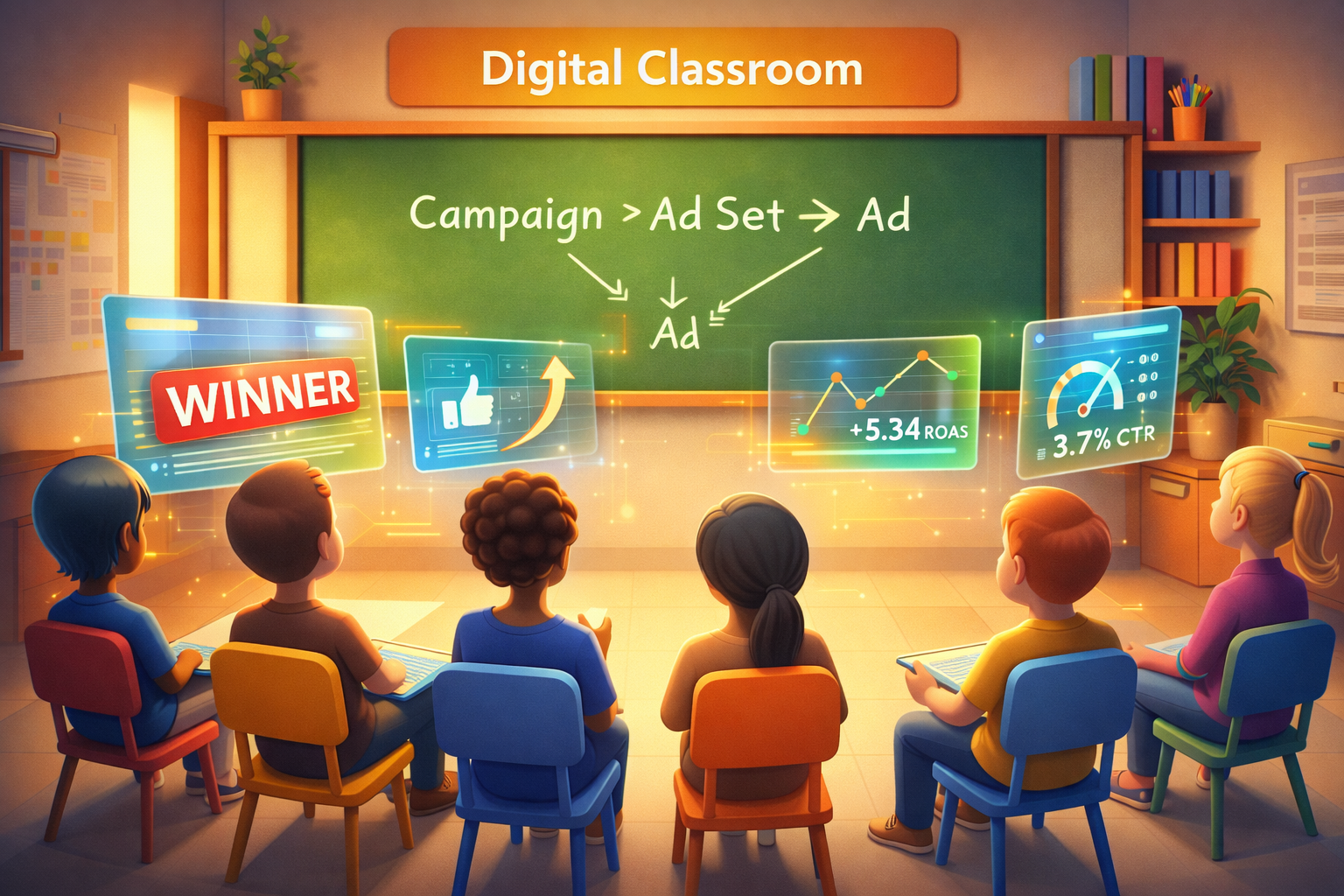
- 2Master the hierarchy: Campaign (Objective) > Ad Set (Targeting) > Ad (Creative)
- 3Install the Facebook Pixel immediately to enable retargeting and data optimization
- 4Trust the algorithm with broad targeting; it needs ~50 conversions to learn effectively
- 5Never use 'Boost Post'; always optimize for Sales objectives in Ads Manager
Don't let the Ads Manager interface scare you. This guide breaks down the structure of Facebook ads and provides a clear playbook to launch your first sales campaign effectively.
Welcome to the jungle.
If you have just opened Facebook Ads Manager for the first time, you probably feel overwhelmed. There are hundreds of buttons. Graphs that look like stock market tickers. Strange acronyms like ROAS, CPM, and CTR.
It’s easy to feel like you need a degree in data science just to run an ad.
But here is the good news: Understanding Facebook Ads is actually simpler than it looks. The interface is complex, but the logic is simple.
In this Facebook Ads 101 guide, we are going to strip away the jargon and explain exactly how the machine works. By the end of this article, you will know how to set up your account, launch a campaign, and avoid the money-burning mistakes that 90% of beginners make.
The Core Philosophy: "Discovery" vs. "Intent"
Before we click any buttons, you need to understand the fundamental difference between Facebook (Meta) and Google.
Google is "Intent" based. People type "Buy red shoes" into Google. They are actively looking for something.
Facebook is "Discovery" based. People are not on Facebook to buy shoes. They are there to see photos of their friends' babies or watch cat videos. Your job is to interrupt them with something so interesting that they stop scrolling.
You are not fulfilling demand; you are creating it.
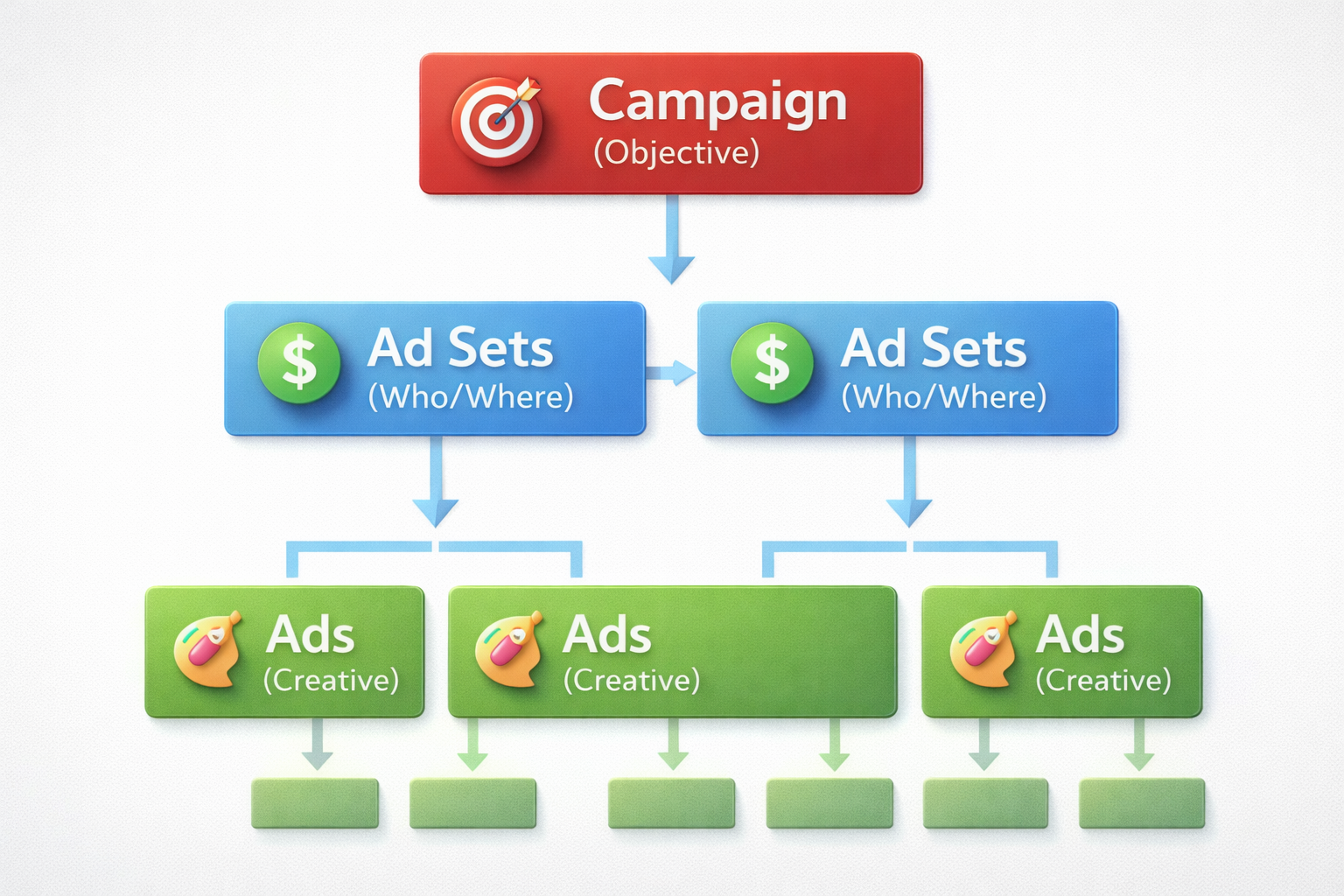
The Hierarchy: Campaign > Ad Set > Ad
The Ads Manager is built like a Russian nesting doll. There are three levels.
1. The Campaign (The "What")
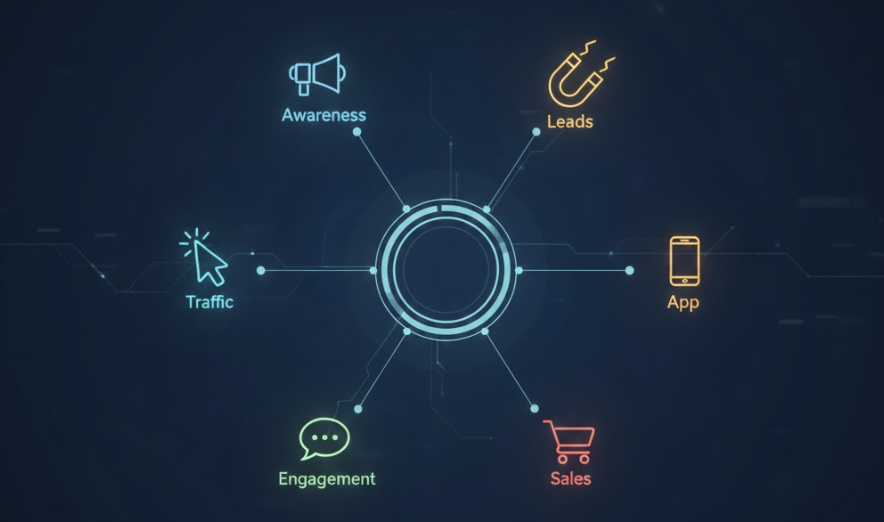
This is the top level. Here, you tell Facebook what you want. This is your "Objective."
-
Sales: "Find people who will buy my product." (Use this 99% of the time for e-commerce).
-
Leads: "Find people who will fill out a form."
-
Traffic: "Find people who will click a link." (Avoid this. Clicks do not equal money).
-
Awareness: "Show my ad to as many people as possible." (Avoid this unless you are Coca-Cola).
2. The Ad Set (The "Who" and "Where")
Inside the Campaign, you have Ad Sets. This is where you define:
-
Audience: Who sees the ad? (Age, location, interests).
-
Budget: How much do you want to spend per day?
-
Placements: Where does the ad appear? (Feed, Stories, Reels).
3. The Ad (The "How")
Inside the Ad Set, you have the Ads. This is what the user actually sees.
-
The Image or Video.
-
The Headline.
-
The Primary Text (Copy).
-
The Call to Action Button (e.g., "Shop Now").
Facebook Ads Integration: The Pixel
You cannot run successful ads without the Facebook Pixel.
The Pixel is a piece of code that you put on your website. It acts as a bridge between your store and Facebook.
Why is it crucial?
Imagine you run an ad. A user clicks, goes to your site, adds a pair of socks to their cart, but then leaves without buying. Without the Pixel, Facebook thinks, "I sent a user, job done."
With the Pixel, your website tells Facebook: "Hey! That guy almost bought socks! Go find him again!" (This is Retargeting).
Or better yet: "Hey! That guy actually bought socks! Go find more people who look like him!" (This is Optimization).
Setting it Up
Most platforms make facebook ads integration easy. If you are on Shopify, you just copy your Pixel ID into the Shopify settings. You don't need to be a coder.
The Algorithm: Your new Best Friend
The "Algorithm" is not a scary monster. It is a helpful robot.
Its only goal is to show the right ad to the right person at the right time. Why? Because if users like the ads, they stay on Facebook longer. If advertisers get sales, they spend more money.
How to help the Algorithm:
-
Don't micro-manage: Give it broad audiences. Let it find the buyers.
-
Give it data: It needs about 50 conversions (sales) per week to learn effectively.
-
Feed it Creative: The Algorithm needs good images and videos to do its job. If your ad is boring, no amount of "hacking" will save you. This is why avoiding the spaghetti method of creative testing is vital to your budget.
Step-by-Step: Launching Your First Campaign
Here is a simple "Playbook" for your first launch:
-
Step 1: Click the green "Create" button.
-
Step 2: Select "Sales" as your objective. (Trust me).
-
Step 3: Name your campaign "CBO - Testing". Turn on "Advantage+ Campaign Budget" (CBO). This is a critical part of the ABO vs. CBO framework used for scaling later. Set budget to $50/day.
-
Step 4: In the Ad Set, select "Website" as conversion location. Select your Pixel. Select "Purchase" as the conversion event.
-
Step 5: Leave targeting BROAD. Just select your country (e.g., USA) and age range (e.g., 21-65+). Don't add interests.
-
Step 6: In the Ad level, upload 3 different images and 2 videos. Write a simple headline and primary text.
-
Step 7: Hit Publish.
Common Beginner Mistakes
To wrap up this Facebook Ads 101 guide, here are the traps to avoid:
The "Boost Post" Button
Never, ever click "Boost Post." It is a simplified version of ads designed to get "Likes," not sales. It is a donation to Mark Zuckerberg.
Changing Things Too Fast
Beginners launch an ad at 9 AM and pause it at 12 PM because it hasn't sold anything yet. Patience! It takes time for the algorithm to stabilize. We recommend adhering to the 48-Hour Rule before making any drastic decisions.
Focusing on the Wrong Metrics
Don't obsess over "Cost Per Click" (CPC) or "Click Through Rate" (CTR). You can have cheap clicks that never buy. The only metric that pays the bills is ROAS (Return on Ad Spend) or CPA (Cost Per Acquisition). In the current landscape, many top advertisers choose to optimize for Cost Per Acquisition rather than relying solely on ROAS.
Conclusion
You have taken the first step.
Facebook Ads are a powerful engine for growth. Yes, there is a learning curve. But if you respect the structure (Campaign > Ad Set > Ad), install your Pixel correctly, and focus on great creative, you will win.
Don't be intimidated by the dashboard. Just start.
Want to skip the learning curve? Use Crush to automate the setup and optimization for you.
Frequently Asked Questions
Common questions about this topic
1What is the difference between Facebook Ads and Google Ads?
2Why do I need the Facebook Pixel?
3Should I use the Boost Post button on Facebook?
4How long does it take for Facebook ads to stabilize?
Written by

Rokas Steponavičius
Founder, CEORokas is the Founder and CEO of TryCrush.ai, an ex-IBM professional turned entrepreneur focused on building AI-driven growth platforms. With a strong background in ecommerce, performance marketing, media buying, and artificial intelligence, Rokas specializes in creating scalable, data-led systems that drive measurable revenue. His mission is to help modern businesses leverage AI to optimize acquisition, conversions, and long-term profitability.
Stop Guessing.
Start Crushing.
AI Ad Manager trained by world-class media buyers to generate your creatives and optimize your ads 24/7.
Learn more
Related articles
A Complete Guide to Types of Facebook Campaigns
Choosing the wrong objective is the #1 reason Facebook Ads fail. In this guide, we break down the 6 ODAX campaign types available in 2026 and help you decide which one drives actual revenue versus vanity metrics.

Facebook Ads for Ecommerce & Affiliate Marketing: The Dual Strategy
Discover the two primary ways to make money with Facebook ads: Ecommerce and Affiliate Marketing. This guide breaks down specific strategies for both, including creative tips, funnel structures, and compliance secrets to keep your ad account safe.
4 Direct Response Ad Examples Proven By Relaunch Data
We analyzed over two million active Facebook ads to find the exact direct response ad examples that advertisers spend money on for hundreds of days.

The Psychology of the "Perfect" Ad (And How AI Replicates It)
Marketing is about psychology, not just pixels. Discover how AI analyzes emotional patterns to target the "Lizard Brain" and drive conversions. We reveal the 5 core psychological triggers and copywriting frameworks used to create the perfect ad.