 SkillGeek
SkillGeek Facebook ad: “AI for Data Analysis, Reports, and Workplace Productivity”
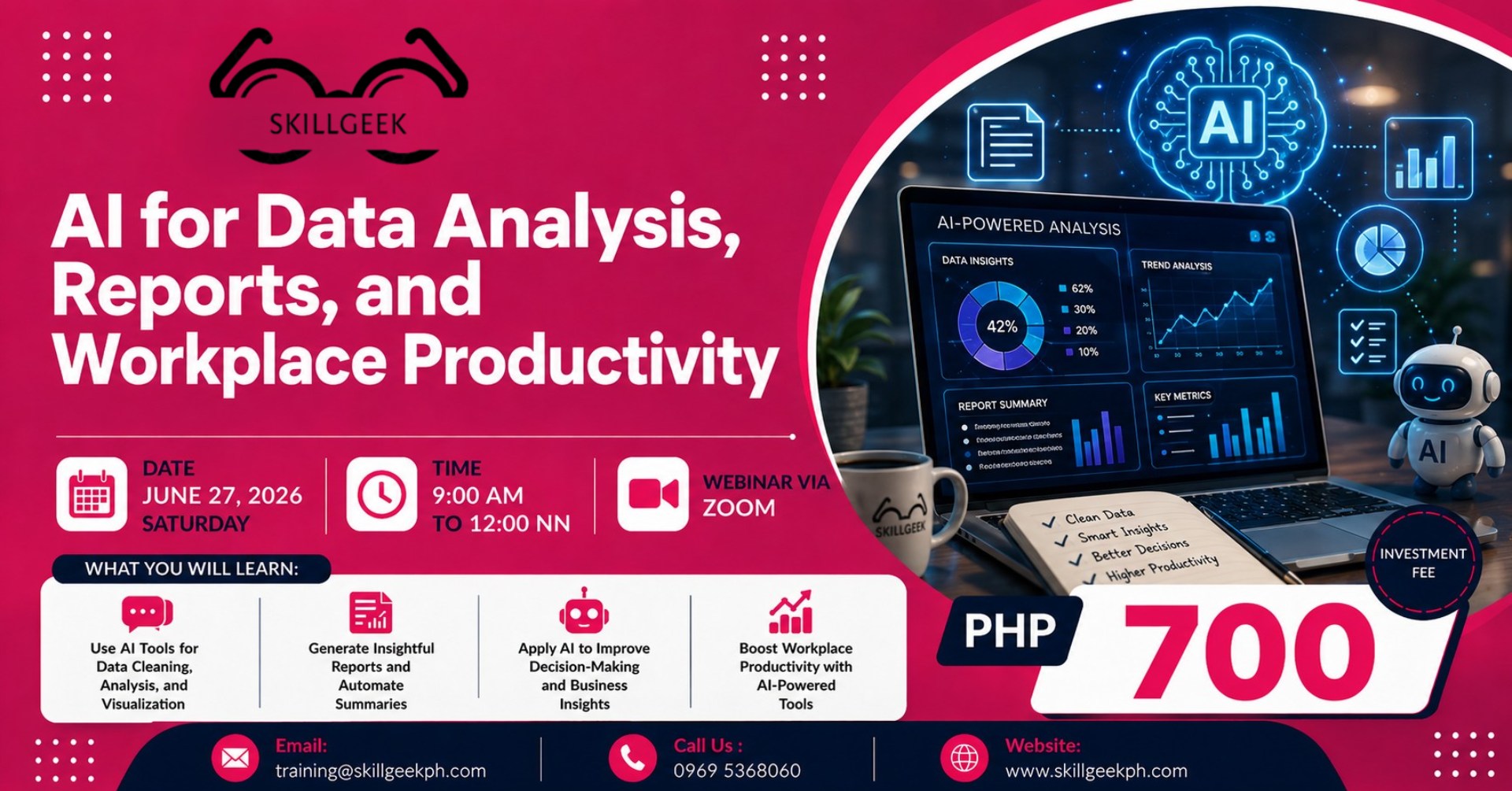
Ran for 6 days, from June 16 to June 21, 2026, the last day Crush saw it.
Run by SkillGeek on Facebook. Crush is not the advertiser and does not verify its claims. See this ad in Meta's Ad Library(opens in a new tab)
Want an ad like this for your product?
Crush makes new ad images for your product from this ad: your logo, your product photo, your offer.
Trials from $19.95 USD, then $79.95 USD a month. Cancel anytime.
About this ad
- Meta Ad Library ID
- 1438842711619578
- Platforms
- Relaunches
- 0
Ad text
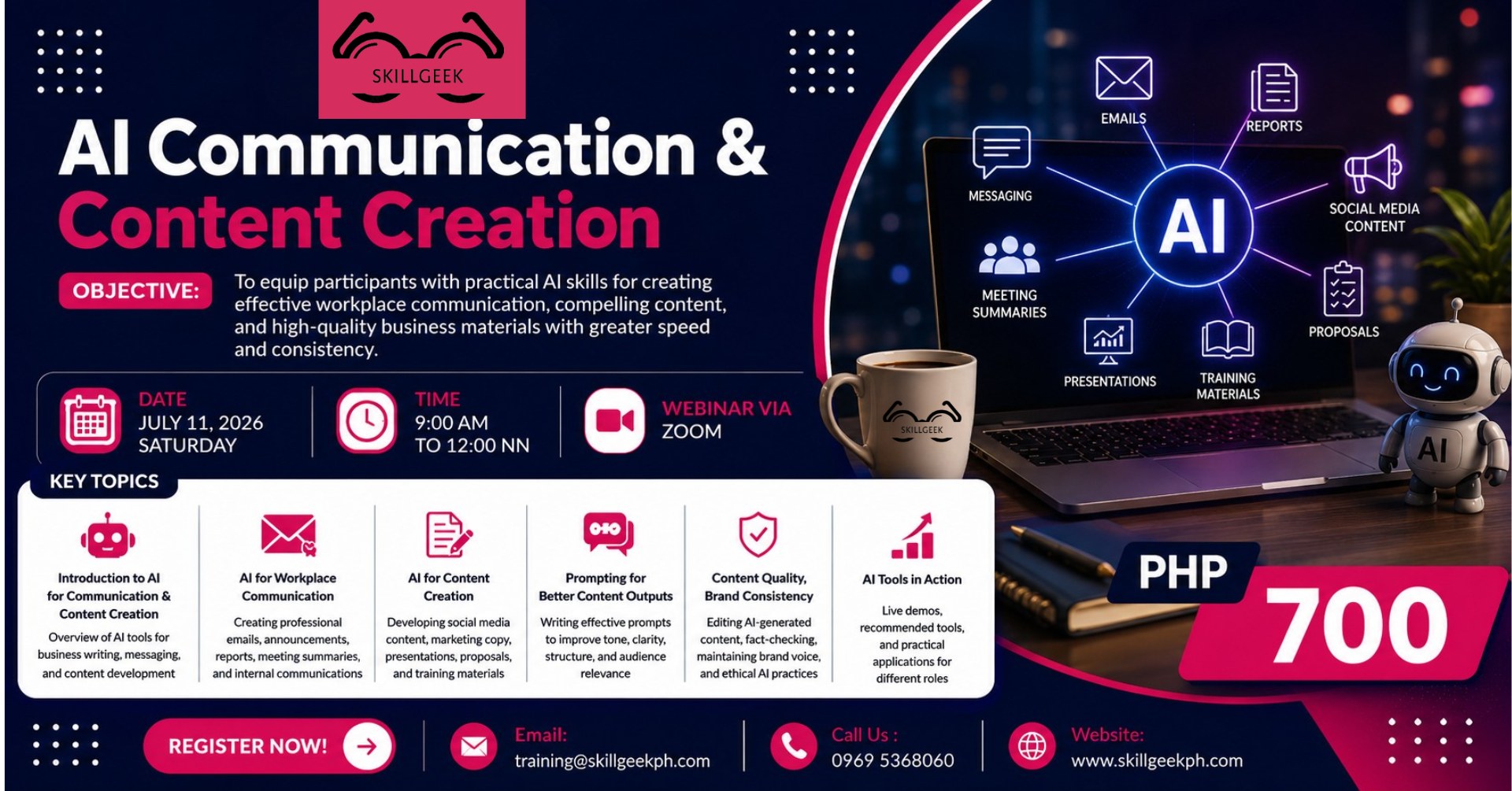
Date : June 27,2026 (Saturday) Time : 9:00 am to 12:00nn Investment Fee : Php 700 per participant / 3 or more Php 600.00 Reserve your slot now! https://forms.gle/ng3kYk6bYR2wcRGS7 Program Overview The modern workplace generates enormous amounts of data and information every day. Professionals are expected to analyze data, prepare reports, make informed decisions, and accomplish more work within increasingly shorter timelines. Artificial Intelligence (AI) has emerged as a powerful workplace assistant that can help employees transform data into actionable insights, automate routine tasks, create reports more efficiently, and improve overall productivity. This highly practical and interactive program introduces participants to the use of AI tools for data analysis, business reporting, and workplace productivity enhancement. Participants will learn how AI can summarize data, identify patterns and trends, generate executive reports, automate communication and administrative tasks, and support better decision-making. Through demonstrations and hands-on exercises, participants will discover how to integrate AI into their daily workflows to improve efficiency, reduce manual work, and focus more on strategic and value-adding activities. Module 1: Introduction to AI for Workplace Productivity This module answers the most important question first: what AI tools exist, what each one is built for, and how to make smart choices about which to use for which task. It establishes the shared vocabulary and conceptual framework the entire day builds on. 1.1 The AI Landscape: What’s Out There – Categories of AI tools for professionals: conversational AI, data AI, writing AI, automation AI – Overview of key platforms: Claude, ChatGPT, Gemini, Copilot, Perplexity, and specialized tools – How these tools differ — and when to use which – Free vs. paid tools: what’s accessible and practical for daily workplace use 1.2 AI for Productivity: The Big Picture – The three types of work AI can help with: thinking work, writing work, and repetitive work – What AI does well, what it does poorly, and where human judgment is still essential – The AI productivity mindset: AI as a collaborator, not a replacement 1.3 Responsible & Safe AI Use at Work – What not to share with AI: data privacy, confidentiality, and company information – Accuracy and hallucination: how to fact-check AI outputs before using them – Ethical use: attribution, transparency, and professional integrity Module 2 AI for Data Analysis & Insights This module focuses exclusively on data work: how AI helps professionals who are not data scientists make sense of numbers, spot patterns, and communicate findings. 2.1 Preparing Your Data for AI – What data formats AI tools can read: CSV, Excel, tables, pasted text, PDFs – How to clean and structure data before feeding it to AI – What AI can process — and what still requires a spreadsheet or BI tool 2.2 Summarizing & Describing Data with AI – Prompting AI to describe a dataset in plain language – Generating descriptive statistics and quick data summaries – Turning raw tables into readable data snapshots 2.3 Identifying Trends & Patterns – Asking AI to find trends, anomalies, and outliers in a dataset – Comparing periods, categories, and segments using natural language prompts – AI-assisted pattern recognition: what the data is telling you without building a formula 2.4 Generating Insights & Supporting Decisions – Moving from data description to insight: prompting AI to explain ‘what this means’ – Using AI to surface decision-relevant findings from a dataset – Validating AI-generated insights: checking logic, testing assumptions, verifying conclusions Module 3 AI-Powered Report Writing This module picks up where Module 2 ends: once you have insights, this is how you turn them into professional written outputs. It covers all forms of business writing — reports, executive summaries, presentations, and data-driven narratives. 3.1 AI-Assisted Executive Summaries – Structuring an executive summary: what leaders need to see first – Prompting AI to distill a long document or dataset into a concise summary – Editing and refining AI-generated summaries for tone, precision, and audience 3.2 Writing Business Reports with AI – The anatomy of a business report: structure, sections, and flow – Using AI to draft report sections: findings, analysis, recommendations – Prompting strategies for maintaining a consistent professional tone throughout – Integrating data outputs from Module 2 into a full narrative 3.3 AI for Presentations & Data Storytelling – Turning a report or data set into presentation-ready slide content – Structuring a data narrative: context → finding → insight → recommendation – Prompting AI to write speaker notes, slide headlines, and talking points – Choosing the right visual: asking AI to recommend chart types for your data 3.4 Editing, Refining & Humanizing AI Writing – How to review AI-generated content for accuracy, tone, and authenticity Module 4 Workplace Productivity Automation This module covers the day-to-day productivity use cases that are distinct from data analysis or formal writing: emails, meeting documentation, task planning, research, and recurring workflow tasks. These are the 30–40% of your workday AI can handle faster. 4.1 AI for Email Communication – Drafting professional emails from bullet points or rough notes – Replying to complex emails: tone-matching, clarity, and brevity – Writing difficult messages: decline emails, follow-ups, escalations – Batch email drafting: multiple responses from a single prompt session 4.2 Meeting Summaries & Action Item Extraction – Turning meeting transcripts or notes into structured summaries – Prompting AI to extract action items, owners, and deadlines from discussion notes – Creating follow-up communications from meeting summaries – Tools for live meeting transcription: Otter.ai, Fireflies, Copilot, and others 4.3 AI for Task & Project Management – Using AI to break down a goal into actionable tasks and timelines – Drafting project briefs, scope documents, and status updates – AI-assisted prioritization: sorting tasks by urgency, impact, and effort 4.4 Research Acceleration & Workflow Optimization – Using AI to research topics quickly: synthesis, comparison, and fact-finding – Prompting AI for competitive summaries, market context, and background briefs
Where the ad sends people
AI for Data Analysis, Reports, and Workplace Productivity
AI for Data Analysis, Reports, and Workplace Productivity
Date : June 27,2026 (Saturday) Time : 9:00 am to 12:00nn Investment Fee : Php 700 per participant / 3 or more Php 600.00 Reserve your slot now! https://forms.gle/ng3kYk6bYR2wcRGS7 Program Overview The modern workplace generates enormous amounts of data and information every day. Professionals are expected to analyze data, prepare reports, make informed decisions, and accomplish more work within increasingly shorter timelines. Artificial Intelligence (AI) has emerged as a powerful workplace assistant that can help employees transform data into actionable insights, automate routine tasks, create reports more efficiently, and improve overall productivity. This highly practical and interactive program introduces participants to the use of AI tools for data analysis, business reporting, and workplace productivity enhancement. Participants will learn how AI can summarize data, identify patterns and trends, generate executive reports, automate communication and administrative tasks, and support better decision-making. Through demonstrations and hands-on exercises, participants will discover how to integrate AI into their daily workflows to improve efficiency, reduce manual work, and focus more on strategic and value-adding activities. Module 1: Introduction to AI for Workplace Productivity This module answers the most important question first: what AI tools exist, what each one is built for, and how to make smart choices about which to use for which task. It establishes the shared vocabulary and conceptual framework the entire day builds on. 1.1 The AI Landscape: What’s Out There – Categories of AI tools for professionals: conversational AI, data AI, writing AI, automation AI – Overview of key platforms: Claude, ChatGPT, Gemini, Copilot, Perplexity, and specialized tools – How these tools differ — and when to use which – Free vs. paid tools: what’s accessible and practical for daily workplace use 1.2 AI for Productivity: The Big Picture – The three types of work AI can help with: thinking work, writing work, and repetitive work – What AI does well, what it does poorly, and where human judgment is still essential – The AI productivity mindset: AI as a collaborator, not a replacement 1.3 Responsible & Safe AI Use at Work – What not to share with AI: data privacy, confidentiality, and company information – Accuracy and hallucination: how to fact-check AI outputs before using them – Ethical use: attribution, transparency, and professional integrity Module 2 AI for Data Analysis & Insights This module focuses exclusively on data work: how AI helps professionals who are not data scientists make sense of numbers, spot patterns, and communicate findings. 2.1 Preparing Your Data for AI – What data formats AI tools can read: CSV, Excel, tables, pasted text, PDFs – How to clean and structure data before feeding it to AI – What AI can process — and what still requires a spreadsheet or BI tool 2.2 Summarizing & Describing Data with AI – Prompting AI to describe a dataset in plain language – Generating descriptive statistics and quick data summaries – Turning raw tables into readable data snapshots 2.3 Identifying Trends & Patterns – Asking AI to find trends, anomalies, and outliers in a dataset – Comparing periods, categories, and segments using natural language prompts – AI-assisted pattern recognition: what the data is telling you without building a formula 2.4 Generating Insights & Supporting Decisions – Moving from data description to insight: prompting AI to explain ‘what this means’ – Using AI to surface decision-relevant findings from a dataset – Validating AI-generated insights: checking logic, testing assumptions, verifying conclusions Module 3 AI-Powered Report Writing This module picks up where Module 2 ends: once you have insights, this is how you turn them into professional written outputs. It covers all forms of business writing — reports, executive summaries, presentations, and data-driven narratives. 3.1 AI-Assisted Executive Summaries – Structuring an executive summary: what leaders need to see first – Prompting AI to distill a long document or dataset into a concise summary – Editing and refining AI-generated summaries for tone, precision, and audience 3.2 Writing Business Reports with AI – The anatomy of a business report: structure, sections, and flow – Using AI to draft report sections: findings, analysis, recommendations – Prompting strategies for maintaining a consistent professional tone throughout – Integrating data outputs from Module 2 into a full narrative 3.3 AI for Presentations & Data Storytelling – Turning a report or data set into presentation-ready slide content – Structuring a data narrative: context → finding → insight → recommendation – Prompting AI to write speaker notes, slide headlines, and talking points – Choosing the right visual: asking AI to recommend chart types for your data 3.4 Editing, Refining & Humanizing AI Writing – How to review AI-generated content for accuracy, tone, and authenticity Module 4 Workplace Productivity Automation This module covers the day-to-day productivity use cases that are distinct from data analysis or formal writing: emails, meeting documentation, task planning, research, and recurring workflow tasks. These are the 30–40% of your workday AI can handle faster. 4.1 AI for Email Communication – Drafting professional emails from bullet points or rough notes – Replying to complex emails: tone-matching, clarity, and brevity – Writing difficult messages: decline emails, follow-ups, escalations – Batch email drafting: multiple responses from a single prompt session 4.2 Meeting Summaries & Action Item Extraction – Turning meeting transcripts or notes into structured summaries – Prompting AI to extract action items, owners, and deadlines from discussion notes – Creating follow-up communications from meeting summaries – Tools for live meeting transcription: Otter.ai, Fireflies, Copilot, and others 4.3 AI for Task & Project Management – Using AI to break down a goal into actionable tasks and timelines – Drafting project briefs, scope documents, and status updates – AI-assisted prioritization: sorting tasks by urgency, impact, and effort 4.4 Research Acceleration & Workflow Optimization – Using AI to research topics quickly: synthesis, comparison, and fact-finding – Prompting AI for competitive summaries, market context, and background briefs
Event rsvp: facebook.com(opens in a new tab)