

Key Takeaways
- 1Facebook relies on implicit interest targeting rather than explicit keyword matching like Google
- 2Enable the "Facebook Search Results" placement to show ads next to relevant user queries
- 3Optimize headlines and primary text with keywords to trigger contextual targeting algorithms
- 4Use the "Super-Stack" strategy to combine related interests for scalable, high-affinity audiences
- 5Leverage broad targeting to allow your ad creative to function as the primary keyword filter
Google uses explicit keywords; Facebook uses implicit interests. This guide reveals how to target behaviors, leverage the hidden "Search Results" placement, and use your ad creative as the ultimate targeting tool.
If you come from the world of Google Ads, Facebook Ads can feel frustrating.
On Google, you type in "Buy Leather Jacket," and you show your ad to people searching for that exact phrase. It is precise. It is linear.
On Facebook, there is no "Keyword" field. You cannot target people based on what they are typing in Messenger or their Status updates.
So, how does facebook keyword search actually work?
In this guide, we will explain the hidden mechanics of facebook keywords. We will show you how to find your audience using "Interests," and reveal a little-known placement called "Facebook Search Results" that actually behaves like Google.
The Difference: Explicit vs. Implicit Keywords
Google = Explicit Keywords.
The user tells you exactly what they want.
Facebook = Implicit Keywords (Interests).
The user doesn't tell you what they want. Facebook infers it based on their behavior.
If a user likes a page called "Titleist," joins a group called "Weekend Golfers," and watches a video about Tiger Woods, Facebook tags them with the implicit keyword: "Golf."
When you type "Golf" into the Detailed Targeting field in Ads Manager, you aren't targeting the word "Golf." You are targeting a cluster of behaviors associated with that word.
How Facebook "Reads" Keywords
Even though you can't bid on keywords directly, keywords are still crucial to the AI. Facebook's algorithm scans your Ad Creative and your Landing Page.
It reads the text in your image. It listens to the words in your video. It reads the H1 tag on your website. This mechanism is similar to how the platform leverages Facebook's AI to parse content and determine relevancy.
Why does this matter?
If your ad copy contains the words "Vegan Protein Powder," the algorithm says: "Aha! This ad is relevant to people who have the implicit tag 'Veganism' and 'Fitness'."
Pro Tip: Use your target keywords in your ad copy. Not for the user, but for the robot. It helps the AI categorize your ad faster.
The "Facebook Search Results" Placement: The Hidden Gem
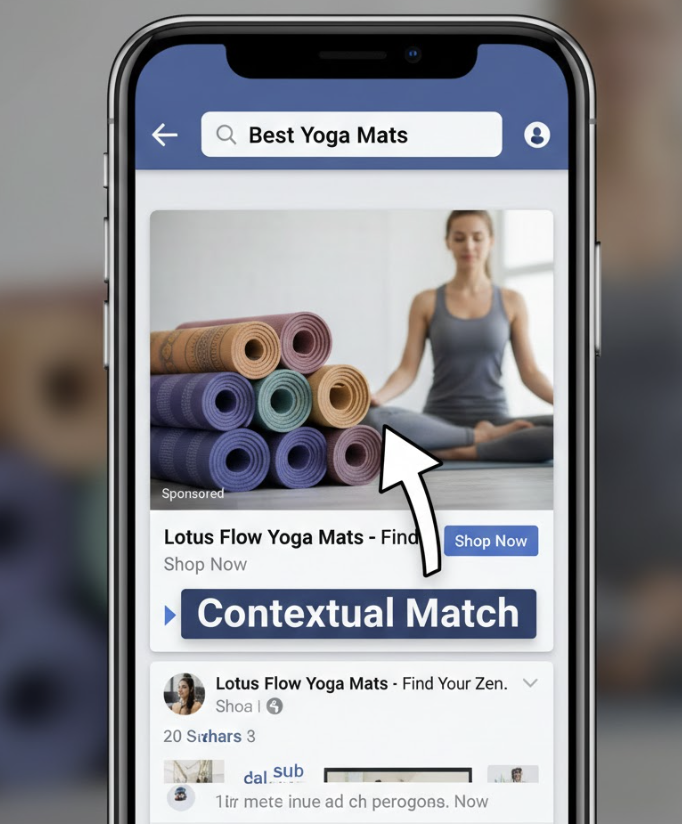
Did you know Facebook actually does have a Search Ad placement? It is one of the most underutilized placements in the entire ecosystem.
Users use the Facebook Search Bar to find people, pages, and groups. But increasingly, they are using it like Google. They type "Plumbers in Chicago" or "Best Running Shoes." You can show ads right next to these search results.
How to Enable It
In Ads Manager, under the "Placements" section (choose Manual Placements), look for the "Search" category. Ensure "Facebook Search Results" is checked. (Note: If you use Advantage+ Placements, this is included automatically).
The Catch (and The Opportunity)
You still cannot bid on specific search queries. You can't say "Show my ad ONLY when someone types 'Plumber'."
Instead, Facebook uses Contextual Targeting. It scans your ad creative (image, headline, primary text) and your landing page to understand what your business is about.
How to Optimize for Search
If you want to appear for specific searches, you need to "feed" the algorithm the right keywords.
Headline: Include the high-intent keyword. "Best Running Shoes for Marathons."
Primary Text: Write natural sentences that include variations. "Looking for marathon trainers? Our running shoes are designed for distance."
Landing Page H1: Ensure your destination URL matches the promise.
By aligning these three elements, you increase your "Ad Relevance," which makes the algorithm more likely to show your ad in search results.
Interest Targeting Strategy in 2026: The "Stacking" Method
Since we can't use exact match keywords, we use Interests as a proxy. But the days of "Laser Targeting" are over. Recognizing that manual media buying is obsolete compared to broad algorithmic learning is key to surviving in 2026.
The "Laser" Mistake
In 2018, you might have created an Ad Set targeting only "Fans of X Brand of Cat Food."
The Problem: The audience is too small (maybe 50,000 people). As soon as you spend $500, you have reached everyone. Your frequency spikes, your CPM skyrockets, and your performance dies. Small audiences fatigue too fast.
The "Super-Stack" Solution
Instead of one interest per Ad Set, we group related keywords into a massive "Super-Stack." This combines the specificity of keywords with the scale of broad targeting.
Example: The "Golf" Stack
Don't just target "Tiger Woods." Target a cluster of 20 related terms:
Brands: Titleist, Callaway Golf, TaylorMade.
Events: PGA Tour, The Masters, Ryder Cup.
Magazines: Golf Digest, Golf Magazine.
Figures: Tiger Woods, Rory McIlroy.
Why this works: By grouping these interests, you create an audience of 5-10 million people. This gives the algorithm a large enough pool to find the buyers, while ensuring that everyone in the pool has a high affinity for golf. It allows you to spend $500 or $1,000 a day without burning out the audience in a week.
The Missing Feature: Negative Keywords
One major frustration for Google advertisers moving to Facebook is the lack of Negative Keywords. You cannot tell Facebook not to show your ad to people interested in "Free Stuff."
The Workaround: Exclusion Audiences
You must use Exclusion Audiences. Create a Custom Audience of "30-Day Site Visitors" or "Past Purchasers" and exclude them if you only want new customers. You can also exclude broad Interest categories that signal low quality, although this is becoming less effective as the algorithm prefers broad targeting.
Knowing how to correctly structure your Facebook ad account with these exclusions is essential to prevent wasted spend.
Broad Targeting: The Ultimate Keyword Hack
Here is the irony. The best way to target "Keywords" on Facebook is to use Broad Targeting (No Targeting).
When you leave the targeting open, Facebook looks at your ad creative. If your image says "Got Back Pain?", Facebook effectively creates a dynamic audience of people who have signaled "Back Pain" behaviors recently.
Your creative becomes the keyword. This is why the ability to identify unicorn ads based on psychological triggers is more valuable than any manual targeting setting.
Conclusion
Stop trying to force Facebook to be Google.
Don't obsess over "Keyword Match Types." Instead, obsess over Context. Use the right words in your ad copy. Use the right text overlays in your video. And trust the algorithm to connect the dots between your words and the users who care about them.
Want to see which keywords your competitors are using? Crush analyzes competitor ads to reveal the hooks and angles that are winning right now.
Frequently Asked Questions
Common questions about this topic
1How do Facebook keywords work compared to Google?
2Can you target specific keywords on Facebook Ads?
3What is the Facebook Search Results placement?
Written by

Ignas Obulaitis
Head of ITIgnas Obulaitis is the head of IT for TryCrush.ai, leading the platform’s engineering and AI innovation. With a strong background in product-driven development, Ignas has built and scaled complex systems across fintech, SaaS, and AI-focused companies. An ex-IBM engineer and former Head of Development at Fluensure, Ignas combines deep technical expertise with a sharp product mindset to turn ambitious ideas into scalable, production-ready technology.
Stop Guessing.
Start Crushing.
AI Ad Manager trained by world-class media buyers to generate your creatives and optimize your ads 24/7.
Learn more
Related articles

The Future of Meta: Why "Manual" is the New "Broken"
Signal loss has crippled manual targeting. Meta's Advantage+ and AI tools are the new standard for scaling. Learn why sticking to manual controls is a "tax" on performance and how to pivot to an AI-first strategy.

Facebook Ads Manager Campaign Setup: The 2026 Walkthrough
Facebook Ads Manager changes constantly. This 2026 guide walks you through every click, from selecting Sales objectives to leveraging Broad targeting, ensuring you avoid hidden settings that kill performance. Get your campaigns profitable today.
B2B Facebook Ads Strategy: How to Target Decision Makers
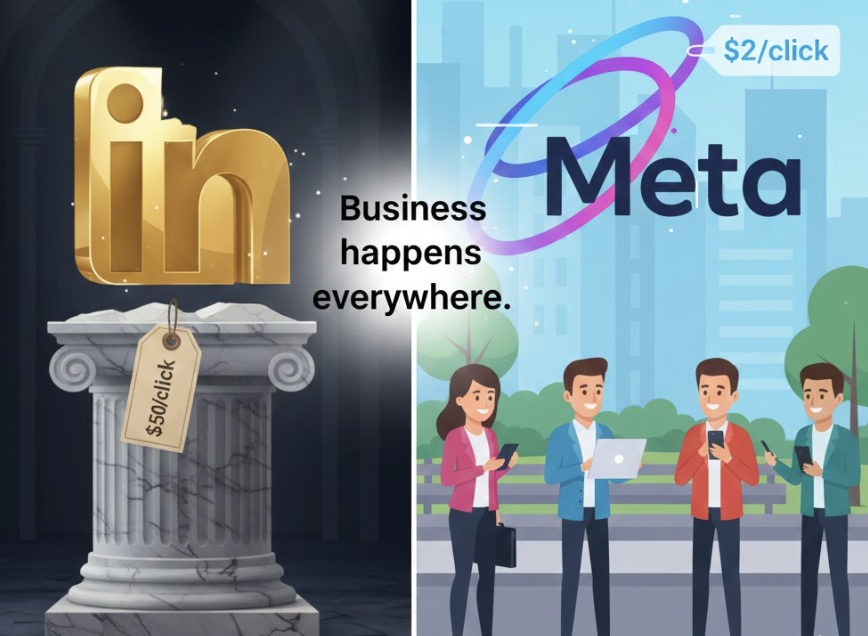
Stop overpaying for LinkedIn leads. Discover how to use "Creative Qualification" to target C-suite executives on Facebook using broad targeting and specific hooks. Learn why detailed targeting fails in 2026.

Target CPA vs. ROAS: Why We Optimize for Cost Per Acquisition
ROAS is the vanity metric of the century. Stop building your media buying strategy on sand. Learn why Target CPA is the only metric that matters for stable, predictable growth and how to calculate your "Crush Number."